Vision
Power Monitor
ZL7261US-5
On/Off Power Switch
HW: 1 FW: 16.09:33.00
ZM5202
6.51.09
0x0109 (265)
0x201A (8218)
0x1AA5 (6821)
ZC10-16105296
2016-09-12 10:08:10.4718
N/A
Enhanced Slave
Always On Slave
ZL7261US-5 is a power monitor which sends the energy consumption to the controller when it requests. With special design, this module won’t interfere the other power outlet when plug into the AC outlet. This module also acts as repeater (supporting FLiRS).
ZL7261US-5 will send On/Off signal to the appliance that attached to this module by receiving Z-Wave TM signal from controller or manual switch. It also sends the energy consumption to the controller when it requests. * Plug Connection * Auto Inclusion * 3 Steps LED Indication: Green /Orange/ Red * Max. Current: 15A * Input Voltage: 90 ~ 230 VAC * Power Monitor Range: Watt: 0.1W ~2200W@220VAC
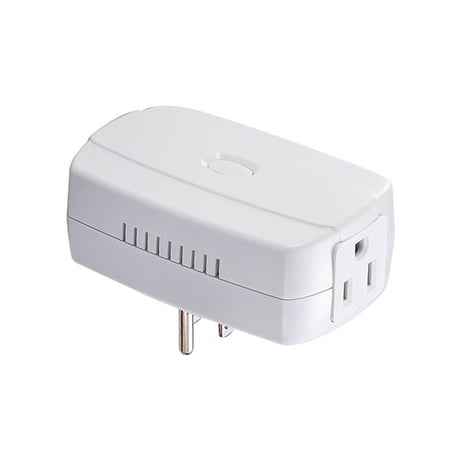
Product Picture


1 - Auto report timing
User can set preferred auto report time from 60 to 255 secondsSize: 1 byte
Default: 60
Minimum: 0
Maximum: 0
Possible values
| From | To | Desription |
|---|---|---|
| 60 | 255 | seconds |
2 - Report when Watt change
User can set preferred watt different level when watts changed.Size: 2 bytes
Default: 50
Minimum: 0
Maximum: 0
Possible values
| From | To | Desription |
|---|---|---|
| 5 | 3600 | Watts |
For “Inclusion” in (adding to) a network: Put the Z-Wave TM Interface Controller into “inclusion” mode, and following its instruction to add the ZL7261 into your controller. To get in the “Inclusion” mode, by power up to get included for first time, or press the Program switch 3 times within 2 seconds to be included.
For “Exclusion” from (removing from) a network: Set up the Z-Wave TM Interface Controller into “exclusion” mode, and following its instruction to delete the ZL7261 from your controller. Press the Program Switch 3 times within 2 seconds to be excluded.
Reset: Press the Program Switch then power on (plug-in) and hold for 5 seconds before release the switch. Only use this procedure when the primary controller is lost or otherwise inoperable.
| Type | Value(s) |
|---|
| Meter type |
|---|
| Electric Meter Consumption |