Philio
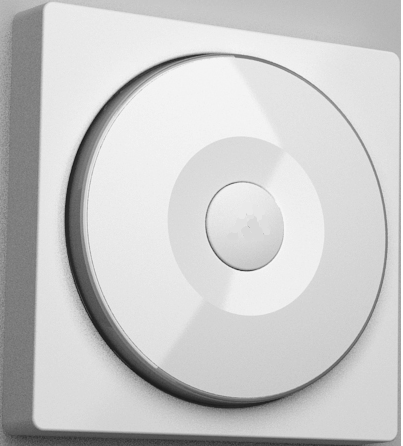
Smart Color Button
PSR07
Wall Controller
HW: 1 FW: 1.08:01.06
SD3502
6.51.09
0x013C (316)
0x0009 (9)
0x0039 (57)
ZC10-16105266
2016-10-04 08:12:39.3284
N/A
Enhanced Slave
Portable Slave
Yes
This device is a multiple functions button switch. It is able to switch the appliances on/off or adjust the percentage of dimmer or curtain.
This device is a multiple functions button switch. It is able to switch the appliances on/off or adjust the percentage of dimmer. The well designed wall bracket and magnetic back let the switch can be fixed on the wall. This product can be included and operated in any Z-Wave™ network with other Z-Wave™ certified devices from other manufacturers and/or other applications.


1 - Basic Set OFF level
Control the value represented by the left-side in area D. E.g. Setting this configuration to 0x0F means range of Command Basic Set value start from 0x0F.Size: 1 byte
Default: 0
Minimum: 0
Maximum: 0
Possible values
| From | To | Desription |
|---|---|---|
| 0 | 99 | basic set value of OFF from 0~99 |
2 - Basic Set ON level
Control the value represented by the right-side in area D. E.g. Setting this configuration to 0x1E means range of Command Basic Set value start from 0x1E.Size: 1 byte
Default: 99
Minimum: 0
Maximum: 0
Possible values
| From | To | Desription |
|---|---|---|
| 0 | 99 | basic set value of ON from 0~99 |
10 - Auto Report Battery Time
The interval time for auto re-porting the Battery level. 0 means turn off auto report battery. The default value is 12.Size: 1 byte
Default: 12
Minimum: 0
Maximum: 0
Possible values
| From | To | Desription |
|---|---|---|
| 1 | 127 | interval time for auto re-porting battery level |
25 - Percentage Set Method
Dimmer setting method. 0 : Auto send Command Basic Set after rotating. 1 : Send Command Basic Set by touching key after rotatingSize: 1 byte
Default: 0
Minimum: 0
Maximum: 0
Possible values
| From | To | Desription |
|---|---|---|
| 0 | 0 | Auto send Command Basic Set after rotating. |
| 1 | 1 | Send Command Basic Set by touching key after rotating |
1. Have Z-Wave™ Controller entered inclusion mode. 2. Rotate to area A and then press button three times within 1.5 seconds to enter the inclusion mode. 3. After add successful, the device will wake to receive the setting command from Z-Wave™ Controller about 20 seconds.
1. Have Z-Wave™ Controller entered exclusion mode. 2. Rotate to area A and then press button three times within 1.5 seconds to enter the exclusion mode. Node ID has been removed.
After the device adding to the network, it will wake-up once per day in default. When it wake-up it will broadcast the “Wake Up Notification” message to the network, and wake-up 20 seconds for receive the setting commands. The wake-up interval minimum setting is 30 minutes, and maximum setting is 120 hours. And the interval step is 30 minutes. If the user want to wake-up the device immediately, please rotate to area A and then press the button once. The device will wake-up 10 seconds.
Notice: Use this procedure only in the event that the primary controller is lost or otherwise inoperable. 1. Rotate to area A and then press button four times within 1.5 seconds and do not release the button in the 4 th pressed, and the red LED will light ON. 2. After the red LED goes out, release the button within 2 seconds. 3. IDs are removed and all settings will reset to factory default.
| Type | Value(s) |
|---|