Trane
XL1050
TZON1050AC52ZAA
Central Controller
HW: 1 FW: 22.12:22.12
ZM5202
6.51.08
0x008B (139)
0x5441 (21569)
0x3530 (13616)
ZC10-16115301
2016-11-02 01:57:43.338631
N/A
Static Controller
Central Static Controller
Embedded within the XL1050 comfort control is a secure Z-Wave Plus Central Static Controller designed to enable remote control of a Z-Wave network from the Nexia Home Intelligence web portal.
When enrolled to a Nexia Home Intelligence account, the XL1050 is a Z-Wave Plus security-enabled device that can serve as a central hub for an entire network of home automation devices, including all non-battery powered devices that will act as repeaters on your network. Your XL1050 can also display local weather conditions, five-day forecasts and National Weather Service warnings and alerts.
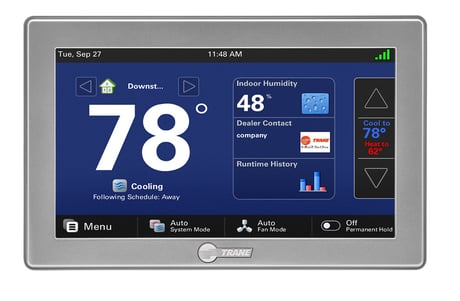
Product Picture
Follow the device manufacturer's instructions of your primary controller for putting the controller into inclusion mode. From the HOME Screen, press MENU on the control, then press NEXIA. Press ADVANCED, then LEARN. Your XL1050 will be added to the network of your primary controller.
From the HOME Screen, press MENU on the control, then press NEXIA. Press ADVANCED, then FACTORY RESET. If this bridge is being used as a secondary or inclusion controller in the network, please reset this bridge only in the event that the primary controller is missing or otherwise inoperable.
From the HOME Screen, press MENU on the control, then press NEXIA. Next press ADD DEVICE and follow the device manufacturer's instructions for setting the Z-Wave device into learn mode. You will have four minutes to set the device into learn mode after pressing the ADD DEVICE button.
From the HOME Screen, press MENU on the control, then press NEXIA. Next press REMOVE DEVICE and follow the device manufacturer's instructions for setting the Z-Wave device into learn mode. You will have four minutes to set the device into learn mode after pressing the REMOVE DEVICE button.
| Type | Value(s) |
|---|