Shenzhen Kaipule Technology Co., Ltd.
Z-Wave DOOR SENSOR
IM20-Z-Wave
Notification Sensor
HW: 255 FW: 1.38
ZM5202
6.51.09
0x0214 (532)
0x0002 (2)
0x0001 (1)
ZC10-16105273
2016-10-17 09:26:02.824
N/A
Routing Slave
Reporting Sleeping Slave
Yes
This product is used for detecting open or close status of door/window
IM20_Zwave is a door/window sensor adopting Zwave500 series chip. It uses special structure design, suitable for kinds of installation environments. Also, it supports door & window open/close detection, anti-tamper, battery level detection and associated gateway and interaction device notifications.
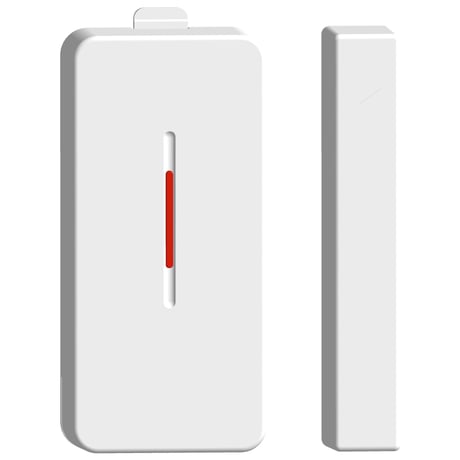
Product Picture


1 - Basic Set Level
If there is any device under Association Group2, the door sensor will send “Basic Set = value” command to control that device when the door sensor is opened.Size: 1 byte
Default: 255
Minimum: 0
Maximum: 0
Possible values
| From | To | Desription |
|---|---|---|
| 1 | 100 | Dimmer Level |
| 255 | 255 | For ON/OFF Light Only |
2 - Turn Off Light Time Configuration
If there is any device under Association Group2, the door sensor will send “Basic Set = value” command to Group2, and send “Basic Set = 0x00” command to turn-off light after “t” seconds, Set value = “t”, means to send Basic Set command after “t” seconds.Size: 1 byte
Default: 20
Minimum: 0
Maximum: 0
Possible values
| From | To | Desription |
|---|---|---|
| 1 | 120 | Turn Off Light Time |
3 - Door Sensor Status Report
Under normal working status (without trigger), the door sensor will automatically send report to the Gateway about its current tamper & open/close status. Set value = t, means “t” hours,(“t”=0, means no status report)Size: 1 byte
Default: 12
Minimum: 0
Maximum: 0
Possible values
| From | To | Desription |
|---|---|---|
| 0 | 24 | Door Sensor Status Report Time |
enter the Inclusion Mode of gateway, and press the tamper switch 3 times within 1.5s,then the door sensor will stay in enrollment state until successfully enrolled into network or enrollment time out after 30s.
enter the Exclusion Mode of gateway, and press the tamper switch 3 times within 1.5s, then the door sensor will be removed after a period of time.
a) Manual Wake-up Quickly press tamper switch once, the door sensor will automatically send wake-up information, and there will be 10s after wake-up to receive gateway setting information. b) Automatic Wake-up Default time of automatic wake-up is 24 hours, and there will be 10s after wake-up to receive gateway setting information, the max automatic report time = 24 hours, minimum=30min
Press the tamper switch 6 times in 2s, it will recover to factory setting after a period of time(Please use the reset procedure only when the primary controller is missing or inoperable)
| Type | Value(s) |
|---|
| Sensor type |
|---|
| General Purpose |