TechniSat
DigiPal SMART HOME
0000/9530
Gateway
HW: 6 FW: 4.33:02.25:01.00:01.00
ZM5202
6.61.00
0x0299 (665)
0x0001 (1)
0x1644 (5700)
ZC10-17015381
2016-10-20 10:35:27.7024
N/A
Bridge Controller
Central Static Controller
Digital Multimedia Receiver with build-in Z-Wave Controller
Digital Multimedia Receiver including HbbTV, PVR, USB Recording, WiFi, Lan and Bluetooth connectivity. Visualisation and control of simple smart home features (like reading sensor data) or changing switching states of actuators via remote control on the big TV screen.
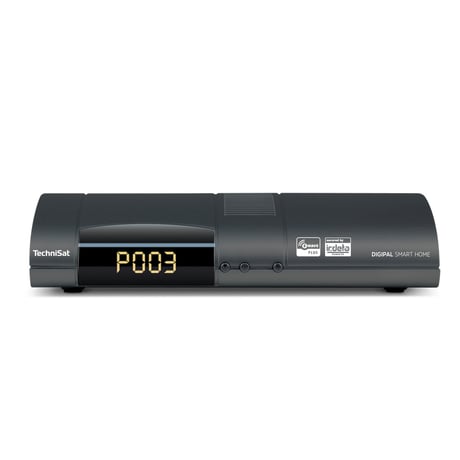
Product Picture
In the TechniSat CONNECT app, tap the ""three horizontal lines"" icon. Tap the ""gear"" icon button. In the settings menu, select ""Smart Home"". From the ""advanced Z-Wave settings"" menu select ""Central unit learn mode"", to start the ""learn mode"" on the controller.
Please note, that included devices will not be reset and must be excluded previously or reset on their own. The reset can not be reverted. In the TechniSat CONNECT app, tap the ""three horizontal lines"" icon. Tap the ""gear"" icon button. In the settings menu, select ""Smart Home"". From the ""advanced Z-Wave settings"" menu select ""Reset central unit"".
Tap the ""wrench"" icon in the TechniSat CONNECT app. Select the ""Add new device"" option. A list of devices with additional inclusion instructions will be shown: Tap the device you would like to add. If your specific device is not listed, please select ""+/Generic"", to add a generic device. Tap ""NEXT"". Tap the round button, with the ""radio symbol"", to start the inclusion process on the controller. The learn/inclusion mode on the device must be started within 60 seconds to add the device.
In the TechniSat CONNECT app, go to app's ""All devices/scenes"" view. Tap the ""vertical three dots"" icon next to the device you would like to remove. From the opened context menu choose the ""Remove Device"" option. Tap the round button, with the ""radio symbol"", to start the exclusion process on the controller. The learn/exclusion mode on the device must be started within 60 seconds to remove the device.
| Type | Value(s) |
|---|