Z-Works
Heart Beat Sensor
ZH-500-v1
Notification Sensor
HW: 1 FW: 4.33:01.00:00.71
SD3502
6.61.00
0x024D (589)
0x0002 (2)
0x0002 (2)
ZC10-16115313
2016-11-17 21:00:43.033386
N/A
Enhanced Slave
Always On Slave
Z-Works Heart Beat Sensor can monitor heart rate, breathing rate and activity of an individual remotely and in a contactless manner.
Z-Works Heat Beat Sensor is a compact Z-Wave Plus compatible device that can monitor up to 3 meters heart rate, breathing rate and activity of an individual. Once plugged to the wall, the sensor relies on 24 GhZ-frequency wave to analyze internal body movement and collect one's vital data. It can be used for example to ensure that a person laying in a bed is alive at night. Thanks to its 1/4" diameter socket used by the large majority of cameras, it can be attached to most tripods and suction pads for an easy installation.
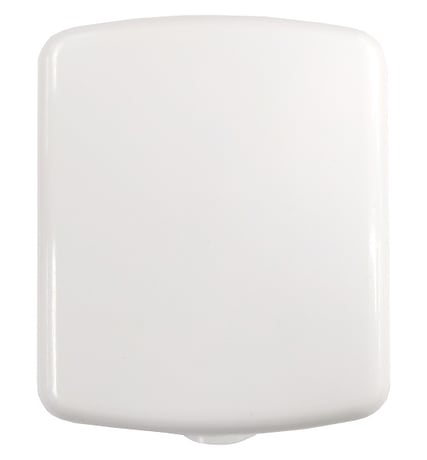
Product Picture


1 - Power LED Control
Control the LED of the device.Size: 1 byte
Default: 1
Minimum: 0
Maximum: 0
Possible values
| From | To | Desription |
|---|---|---|
| 0 | 0 | LED Off |
| 1 | 1 | LED On |
2 - Time Interval for Auto Report
Time interval for auto report Heart Rate.Size: 1 byte
Default: 6
Minimum: 0
Maximum: 0
Possible values
| From | To | Desription |
|---|---|---|
| 0 | 0 | Auto report off |
| 6 | 120 | Time interval (x5 seconds) |
3 - Time Interval for Auto Report
Time interval for auto report Respiratory rate.Size: 1 byte
Default: 6
Minimum: 0
Maximum: 0
Possible values
| From | To | Desription |
|---|---|---|
| 0 | 0 | Auto report off |
| 6 | 120 | Time interval (x5 seconds) |
4 - Window Size
Averaging Window Size for Notification Report.Size: 1 byte
Default: 3
Minimum: 0
Maximum: 0
Possible values
| From | To | Desription |
|---|---|---|
| 1 | 8 | Window size interval (x5 seconds) |
5 - Threshold for Body/Respiratory ratio
The value of the Body/Respiratory ratio can take around 1000 to 8000. If there is no body motion, the value will be extremely near 1000. The default value of 2000 is typical for rolling over on bed (it depends on the person). This threshold is used for the event of the “Posture Change” of NOTIFICATION_REPORT.Size: 2 bytes
Default: 2000
Minimum: 0
Maximum: 0
Possible values
| From | To | Desription |
|---|---|---|
| 1000 | 8000 | Threshold value |
6 - High threshold for Heart Rate
The high threshold for Heart Rate will be used to automatically send Multilevel report of heart rate if the calculated heart rate goes over this value.Size: 2 bytes
Default: 100
Minimum: 0
Maximum: 0
Possible values
| From | To | Desription |
|---|---|---|
| 0 | 0 | Threshold deactivated |
| 1 | 200 | High-threshold |
7 - Low threshold for Heart Rate
The low threshold for Heart Rate will be used to automatically send Multilevel report of heart rate if the calculated heart rate goes below this value.Size: 2 bytes
Default: 60
Minimum: 0
Maximum: 0
Possible values
| From | To | Desription |
|---|---|---|
| 0 | 0 | Threshold deactivated |
| 1 | 200 | Low-threshold |
8 - High threshold for Respiratory Rate
The high threshold for Respiratory Rate will be used to automatically send Multilevel report of Respiratory rate if the calculated Respiratory rate goes over this value.Size: 1 byte
Default: 20
Minimum: 0
Maximum: 0
Possible values
| From | To | Desription |
|---|---|---|
| 0 | 0 | Threshold deactivated |
| 1 | 120 | High-threshold |
9 - Low threshold for Respiratory Rate
The low threshold for Respiratory Rate will be used to automatically send Multilevel report of Respiratory rate if the calculated Respiratory rate goes below this value.Size: 1 byte
Default: 10
Minimum: 0
Maximum: 0
Possible values
| From | To | Desription |
|---|---|---|
| 0 | 0 | Threshold deactivated |
| 1 | 120 | Low-threshold |
10 - Sensor Setting
Sensor Sensitivity setting. If parameter 10 is set to 0 (high sensitivity mode), the sensor becomes more vulnerable to environmental noise.Size: 1 byte
Default: 1
Minimum: 0
Maximum: 0
Possible values
| From | To | Desription |
|---|---|---|
| 0 | 0 | high |
| 1 | 1 | low |
11 - Sensor Setting
Calibration mode setting. If parameter 11 is set to 0 (manual mode), the sensor will use preset values as thresholds for detecting Heart Rate / Respiratory Rate. If set to 1 (calibration mode), the sensor will use the calibrated values instead.Size: 1 byte
Default: 0
Minimum: 0
Maximum: 0
Possible values
| From | To | Desription |
|---|---|---|
| 0 | 0 | manual |
| 1 | 1 | calibration |
12 - Sensor Setting
Heart rate type setting. Set this to 0 when the target person’s average heart rate is over 70. Set it to 1 when it’s below 70.Size: 1 byte
Default: 0
Minimum: 0
Maximum: 0
Possible values
| From | To | Desription |
|---|---|---|
| 0 | 0 | average over 70 |
| 1 | 1 | average below 70 |
13 - Sensor Setting
Heart Rate/Respiratory Rate sensitivity setting. If parameter 13 is set to 0, it becomes more vulnerable to environmental noise so it becomes more likely that the sensor reports fictitious non-zero Heart Rate and/or Respiratory Rate even if the target person is absent.Size: 1 byte
Default: 1
Minimum: 0
Maximum: 0
Possible values
| From | To | Desription |
|---|---|---|
| 0 | 0 | high |
| 1 | 1 | low |
14 - Start calibration
When this parameter is set to 1, the calibration will be started. No response for CONFIGURATION_GET command for this parameter.Size: 1 byte
Default: 1
Minimum: 0
Maximum: 0
Possible values
| From | To | Desription |
|---|---|---|
| 1 | 1 | Start calibration |
15 - Calibration Status
This can be used to get the calibration status by CONFIGURATION_GET command. Cannot set this parameter value. When power on the sensor, the status becomes “0: Not calibrated”. Once calibration starts, the status becomes “1: Calibration in progress” and changes to “2: Calibration done” when the calibration finishes. If the status becomes “3: Error in calibration”, you need to start calibration again.Size: 1 byte
Default: 0
Minimum: 0
Maximum: 0
Possible values
| From | To | Desription |
|---|---|---|
| 0 | 0 | Not calibrated |
| 1 | 1 | Calibration in progress |
| 2 | 2 | Calibration done |
| 3 | 3 | Error in calibration |
16 - Body / Respiratory Ratio
This parameter can be used to get the averaging body / respiratory ratio for past 30 seconds. The configuration value contains three 10 seconds average body / respiratory ratio divided by 8 in 10-bits length for each. Averaging Body / Respiratory Ratio = each 10-bits value x 8 Cannot set this parameter value.Size: 4 bytes
Default: 0
Minimum: 0
Maximum: 0
Possible values
| From | To | Desription |
|---|---|---|
| 0 | 1023 | Bit 0 to 9 is latest 10 seconds average value |
| 0 | 1048575 | Bit 10 to 19 is the average value until 11 seconds before from 20 seconds before. |
| 0 | 1073741823 | Bit 20 to 29 is the average value until 21 seconds before from 30 seconds before. |
Push A (Add/Remove/Reset) button once.
Push A (Add/Remove/Reset) button once.
Press A (Add/Remove/Reset) button for at least 10 seconds and release. The Vital Sensor will send the “Device Reset Locally” command and reset all settings to the factory default. Reset cannot be aborted. Please use this procedure only when the network primary controller is missing or otherwise inoperable.
| Type | Value(s) |
|---|
| Sensor type |
|---|
| Heart Rate |