Jasco Products Company
In-Wall Smart Toggle Switch (Lt. Almond)
14320/ZW4003
On/Off Power Switch
HW: 255 FW: 5.20
ZM5202
6.51.06
0x0063 (99)
0x4952 (18770)
0x3132 (12594)
ZC10-16115299
2016-11-01 16:12:11.000527
N/A
Enhanced 232 Slave
Always On Slave
Transform any home into a smart home with the Jasco Z-Wave Smart Toggle Switch
Transform any home into a smart home with the Jasco Z-Wave Smart Toggle Switch. The In-Wall Smart Toggle Switch can easily replaces any standard in-wall switch and remotely controls a light in your home. Your home will be equipped with ultimate flexibility with the Jasco Z-Wave Smart Toggle Switch, capable of being used by itself or with up to four add-on switches. Screw terminal installation provides improved space efficiency when replacing existing switches. The Jasco Z-Wave In-Wall Smart Toggle Switch is compatible with any Z-Wave certified gateway, providing access to many popular home automation systems. Take control of your home lighting with Jasco Z-Wave Smart Lighting Controls!
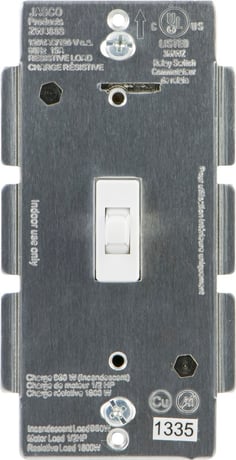
Product Picture


4 - Invert Switch
Invert SwitchSize: 1 byte
Default: 0
Minimum: 0
Maximum: 0
Possible values
| From | To | Desription |
|---|---|---|
| 0 | 0 | Defualt |
| 1 | 1 | Invert Switch |
1. Follow the instructions for your Z-Wave certified controller to include a device to the Z-Wave network. 2. Once the controller is ready to include your device, press up and release the Toggle Switch to add it in the network. 3. Once your controller has confirmed that the device has been included.
1. Follow the instructions for your Z-Wave certified controller to exclude a device from the Z-Wave network. 2. Once the controller is ready to Exclude your device, press and release the top or bottom of the wireless smart dimmer (rocker) to exclude it from the network.
1. Quickly press ON (up) three (3) times then immediately press the OFF (down) button three (3) times. Note: This should only be used in the event your network’s primary controller is missing or otherwise inoperable.
| Type | Value(s) |
|---|