Zooz
Zooz Z-Wave Plus On/Off Toggle Switch
ZEN23
On/Off Power Switch
HW: 1 FW: 20.16
ZM5202
6.51.07
0x015D (349)
0x0112 (274)
0x251C (9500)
ZC10-16115307
2016-11-05 01:23:06.559711
N/A
Routing Slave
Always On Slave
Use the ZEN23 on/off toggle switch instead of your existing light switch to add wireless control of lights or small appliances.
FEATURES - Manual or remote on/off control from your mobile device or computer (when included to a Z-Wave gateway controller) - Z-Wave Plus with improved 500 chip for faster and safer wireless communication - Works with LED, CFL, and incandescent bulbs (minimum 15Watts on load required) - Based on simple and universal binary switch command class - supported by most Z-Wave controllers - May be associated and grouped with other Z-Wave devices for advanced home automation - Built-in Z-Wave signal repeater for a stronger and more reliable network SPECIFICATIONS Model Number: ZEN23 Z-Wave Signal Frequency: 908.42 MHz Power: 120 VAC, 60 Hz Maximum Loads: 960W Incandescent, 1800W (15A) Resistive, ½ HP Motor Minimum Load: 15W for LED and CFL bulbs Range: Up to 100 feet line of sight Operating Temperature: 32-104° F (0-40° C) Installation and Use: Indoor only
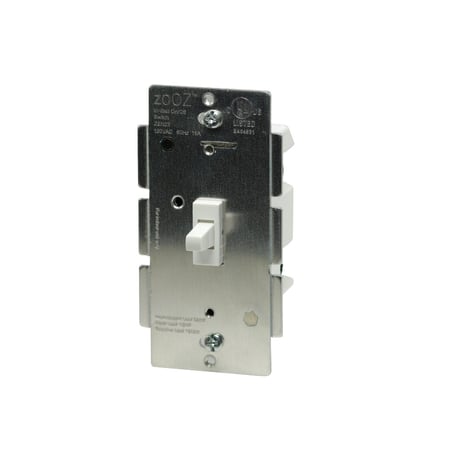
Product Picture


1 - Toggle Control
Use it to change between 2 control modes. Mode 1 will turn the light on when you toggle the switch up, and turn it off when you toggle the switch down. Mode 2 will turn the light on when you toggle the switch down, and turn it off when you toggle the switch up.Size: 1 byte
Default: 0
Minimum: 0
Maximum: 0
Possible values
| From | To | Desription |
|---|---|---|
| 0 | 0 | Mode 1 (up for on, down for off) |
| 1 | 1 | Mode 2 (down for on, up for off) |
1. Bring your Z-Wave gateway hub or controller within direct range of the switch 2. Put your Z-Wave controller in inclusion mode 3. Toggle the switch up and down quickly 3 times to finalize the inclusion process 4. A new on/off device should appear on your controller's device list Troubleshooting Tips: If you are unable to include the Toggle Switch to your controller, please try one of the following: - Bring the controller closer to your Z-Wave switch or use a hand-held secondary controller for inclusion - Toggle your Z-Wave switch quicker 4 or 5 times once you put the controller in the inclusion mode to ensure the command has gone through - Put your controller in the EXCLUSION mode and toggle the switch quickly 3 times, then try adding it to your network again
1. Bring your Z-Wave gateway hub or controller within direct range of the switch 2. Put your Z-Wave controller in exclusion mode 3. Toggle the switch up and down quickly 3 times to complete the exclusion process 4. The device should disappear from your controller's device list Please repeat the process following all steps carefully if the first attempt is unsuccessful
The Toggle Switch will be reset to factory defaults only by exclusion using a Z-Wave controller. You may use any certified Z-Wave controller to exclude and reset the switch. This device may not be reset manually when the network’s primary controller is missing or otherwise inoperable. NOTE: All previously recorded activity and custom settings will be erased from the device’s memory.
| Type | Value(s) |
|---|