HOPPE
wireless handle
FG-FR404-ZW-HF
Notification Sensor
HW: 30 FW: 1.00:00.01
ZM5101
6.61.00
0x0313 (787)
0x0001 (1)
0x0001 (1)
ZC10-17025414
2017-01-31 22:04:54.732175
N/A
Enhanced 232 Slave
Reporting Sleeping Slave
Yes
The handle is used to display the opening state of the window or the window door. The system signals the opening states "vented", "open" and "closed".
The handle is used to display the opening state of the window or the window door. The system signals the opening states "vented", "open" and "closed". The handle is suitable for turning windows or balcony doors.
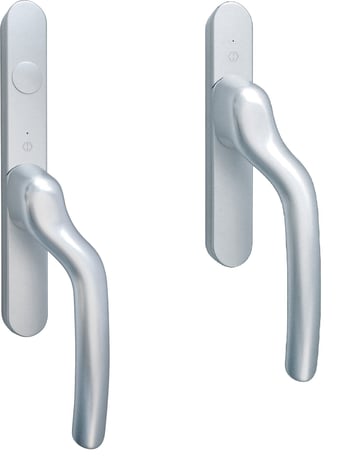
Product Picture
A Z-Wave network controller in Z-Wave terminology can be connected to the handle. If you want to use a Z-Wave network controller, you must add the handle to the network. Proceed as follows: 1. Set the receiver to the inclusion mode 2. With the window open, change the handle position at least six times within three seconds, causing the green LED to flash continuously; 3. The handle should now be added to the Z-Wave network. 4. The green LED flashes once (1 second) when the handle is included
To remove the handle from your Z-Wave network, do the following: 1. Open the window / door. 2. Set the Z-Wave controller to the Exclude mode; 3. With the window open, change the handle position at least six times within three seconds, causing the green LED to flash continuously; 4. The handle should now be removed from the Z-Wave network. 5. The red LED flashes once (1 second) if the handle has been successfully excluded.
Normally, the handle sleeps to save batteries. He periodically wakes up (by default, once per hour) and sends a wake-up message, after which he can receive messages before he falls asleep again. The user can, e.g. For configuration purposes, request an additional wakeup notification via the following ""manual wakeup"" procedure: 1. Open Handle and then Window / Window Door 2. Change the grip position, wait until the green LED flashes and then within 1 second change the grip position again 3. After 2 seconds, the green LED blinks twice, the wakeup procedure starts.
Open the handle. Change window / door position at least 6 times, stopping when the window / door is open. Change the handle position at least 6 times. All this should be completed within 10 seconds. Important: Use this procedure only if the primary network controller is missing or otherwise inoperable.
| Type | Value(s) |
|---|