Z Wave Products Inc.
Z-Wave ToolBox
ZWP-TBX
Sub System Controller
HW: 1 FW: 1.22:01.22
ZM5202
6.51.08
0x0315 (789)
0x0001 (1)
0x0001 (1)
ZC10-16125344
2016-12-12 19:29:31.641874
N/A
Static Controller, No Repeater
Sub Static Controller
Self-contained, web-based tool that gives installers the ability to troubleshoot Z-Wave networks.
The Z-Wave Toolbox™ is a self-contained tool that enables the user to easily troubleshoot Z-Wave networks. Whether the problem is a range issue, interference, or device placement, the Z-Wave Toolbox™ will make troubleshooting a breeze… The toolbox is a web-based, flexible tool that will work with any operating system, even smart phones and tablets. The toolbox contains 3 major applications, The Z-Wave Packet Analyzer, the Spectrum Analyzer, and the Network Health Tester. The Z-Wave Packet Analyzer allows the user to see Z-Wave traffic. It helps troubleshoot connections, identify abnormal device operation, and pinpoint weak spots. The Spectrum Analyzer allows users to scan frequencies close to Z-Wave frequencies for any interference. Network Health Tester. This powerful tool can determine link stability, quality of service, latencies, and can help the user to troubleshoot, optimize, and deploy Z-Wave networks with confidence. Technical details: Self-contained hardware that does not need computer to operate • Connectivity - Ethernet, WiFi (AP and Client mode) • Low power; it can run on batteries (battery pack sold separately) • Power Adapter (12V/1A, 100-240VAC) • FCC and CE compliant
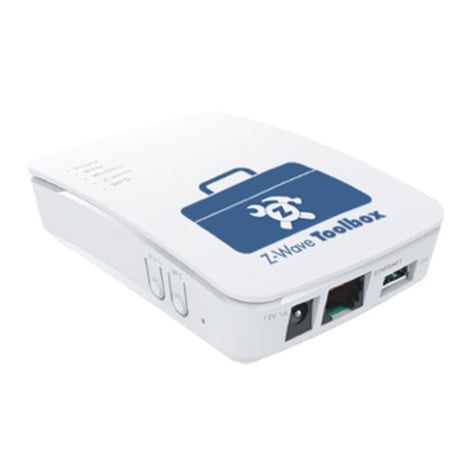
Product Picture
Network Health Tool: Using the Z-Wave controller you intend to troubleshoot, begin the inclusion process to add a new generic Z-Wave device. Select LEARN on the Network Health Tool Device List widget. The Z-Wave controller may include the ZWP-TBX as a generic scene controller or similar device; name the device according to your troubleshooting needs.
Network Health Tool: Select RESET on the Network Health Tool Device List widget. Be sure to delete the ToolBox from the Z-Wave controller.
| Type | Value(s) |
|---|