Vision
Wireless Shock Sensor
ZS5101US-5
Notification Sensor
HW: 1 FW: 16.11
ZM5202
6.51.09
0x0109 (265)
0x2003 (8195)
0x0308 (776)
ZC10-17015397
2016-12-15 16:06:10.888969
N/A
Enhanced 232 Slave
Reporting Sleeping Slave
Yes
ZS5101US-5 detects vibrations made by an intruder attempting to break a window or door. It detects tamper situations and relayed communications are encrypted.
ZS5101US-5 detects vibrations made by an intruder attempting to break a window or door. It detects tamper situations and will send Z-Wave a signal when vibrations or tamper situations occur. When this device is securely included into the Z-Wave network, the above communications will be encrypted. * Non-Touch Vibration Design for Longer Lifetime * Adjustable Sensitivity * Tamper Switch * Battery Detection * LED Status Indicator * Battery Life: 2 Years
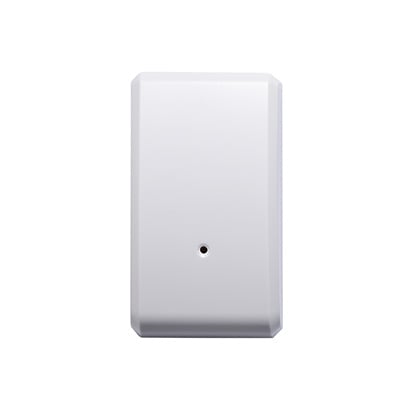
Product Picture
Put the Z-Wave™ Interface Controller into “inclusion” mode, and following its instruction to add the ZS 5101-5 to your controller. To get in the “inclusion” mode, please press the program switch of ZS 5101-5 for 1 second at least to be included. The LED on the ZS 5101-5 should go off, if not, please try again.
Put the Z-Wave™ Interface Controller into “exclusion” mode, and following its instruction to delete the ZS 5101-5 from your controller. Press the program switch of ZS 5101-5 for 1 second at least to be excluded.
Use “Wake Up” command to set up the awaking time and send the wake up notification to controller. User can use command to change the auto wake up from 500 seconds to 1 week, Interval increment is 250 seconds. (Default: 6 hours) *Use “Battery Get” command to have the battery capacity back in %
*Push the Tamper switch then power on (put in the battery) & hold the Tamper switch for 5 seconds, ZD5101-5 will send the “Device Reset Locally Notification” command and reset to the factory default, LED will solid on, need to take off the battery and re-put in the battery to complete the function. *Please use this procedure only in the event that the network primary controller is missing or otherwise inoperable.
| Type | Value(s) |
|---|
| Sensor type |
|---|
| General Purpose |