GE
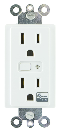
In-Wall Smart Outlet
14286/ZW1001
On/Off Power Switch
HW: 255 FW: 5.20
ZM5202
6.51.06
0x0063 (99)
0x4952 (18770)
0x3035 (12341)
ZC10-16125345
2016-12-13 21:25:53.602948
N/A
Enhanced 232 Slave
Always On Slave
Transform any home into a smart home with the GE Z-Wave In-Wall Smart Outlet.
Transform any home into a smart home with the GE Z-Wave In-Wall Smart Outlet. The GE Z-Wave Smart Outlet enables wireless control of on/off functions from the Z-Wave controlled outlet, and is compatible with incandescent, LED, Xenon, Halogen, fluorescent and compact fluorescent bulbs. The duplex receptacle includes a blue LED indicator light to easily locate the receptacle in a dark room. The receptacle replaces your current electrical outlet, uses your existing wiring and provides a Z-Wave enabled outlet for the lamp or appliance that you would like to control and a standard pass-through AC outlet for other electrical appliances. The receptacle requires in-wall installation with hardwired connections. Take control of your home lighting with GE Z-Wave Smart Lighting Controls!


3 - LED Light
0 Default 1 LED light on when Z‐Wave turned on 2 LED always offSize: 1 byte
Default: 1
Minimum: 0
Maximum: 0
Possible values
| From | To | Desription |
|---|---|---|
| 0 | 0 | Default |
| 1 | 1 | LED light on when Z-Wave turned on |
| 2 | 2 | LED always off |
1. Follow the instructions for your Z-Wave certified controller to add a device to the Z-Wave network. 2. Once the controller is ready to add your device, press and release the Program Button to add it in the network.
1. Follow the instructions for your Z-Wave certified controller to remove a device from the Z-Wave network. 2. Once the controller is ready to remove your device, press and release the manual/program button on the smart dimmer to remove it from the network.
1. Press and hold the button for at least 3 seconds. The LED light will blink 5 times to confirm. NOTE: This should only be used in the event your network’s primary controller is missing or otherwise inoperable.