Jasco Products Company
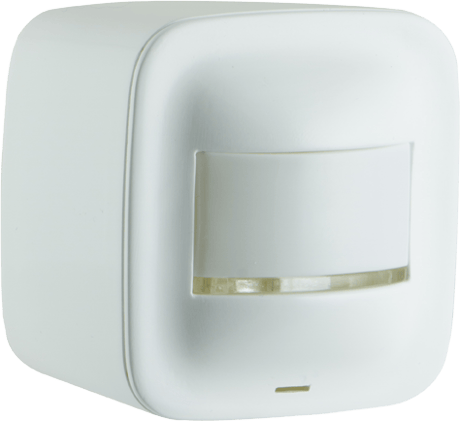
Portable Smart Motion Sensor
34194/ZW6302
Notification Sensor
HW: 255 FW: 5.34
ZM5101
6.51.07
0x0063 (99)
0x4953 (18771)
0x3134 (12596)
ZC10-17055613
2017-05-24 22:16:59.880902
N/A
Enhanced 232 Slave
Reporting Sleeping Slave
Yes
Make the move toward convenience with the Z-Wave Portable Smart Motion Sensor for your home.
Make the move toward convenience with the Z-Wave Portable Smart Motion Sensor for your home. This Z-Wave compatible device boosts the safety of your home by working with your home’s gateway to wirelessly trigger scenes and send alerts to your smartphone or tablet whenever motion is detected. Use the included batteries for easy placement anywhere, plug into the wall using a AC adapter and USB cable – never replace batteries again.


13 - PIR Sensitiivity Setting
You can modify the sensitivity of PIR if changing the value in parameter 13Size: 1 byte
Default: 3
Minimum: 0
Maximum: 0
Possible values
| From | To | Desription |
|---|---|---|
| 2 | 2 | Medium Sensitivity |
| 3 | 3 | High Sensitivity |
| 1 | 1 | Low Sensitivity |
18 - PIR Timeout Duration
PIR Timeout DurationSize: 1 byte
Default: 4
Minimum: 0
Maximum: 0
Possible values
| From | To | Desription |
|---|---|---|
| 1 | 60 | 1 min to 60 min |
| 255 | 255 | 5 seconds |
20 - Basic Set, Notification and Basic Report
Changing Parameter 20 can let the motion sensor send out "Basic Set" command or "Basic Report" command or "Notification" report to Z-Wave devices.Size: 1 byte
Default: 1
Minimum: 0
Maximum: 0
Possible values
| From | To | Desription |
|---|---|---|
| 1 | 1 | Motion Sensor will send out Notification |
| 2 | 2 | Motion Sensor will send out Basic Set |
| 3 | 3 | Motion Sensor will sendout Basic Report |
28 - Enable & Disable the LED indication when PIR is triggered
Enable & Disable the LED indication when PIR is triggeredSize: 1 byte
Default: 1
Minimum: 0
Maximum: 0
Possible values
| From | To | Desription |
|---|---|---|
| 0 | 0 | Disable |
| 1 | 1 | Enable |
1. Follow the instructions for your Z-Wave certified controller to include a device to the Z-Wave network. 2. Once the controller is ready to include your device, press and release the program button to include it in the network. 3. The blue LED will activate for 3 seconds to confirm it has been included.
1. Follow the instructions for your Z-Wave certified controller to exclude a device from the Z-Wave network. 2. Once the controller is ready to exclude your device, press and release the program button to exclude it from the network.
1. Press the program button 10 times within 6 seconds. 2. The blue LED will blink for 3 seconds. Note: This should only be done in the event your primary controller is missing or otherwise inoperable.
| Type | Value(s) |
|---|
| Group | Type |
|---|---|
| Home Security | (Refer to parameters): State idle |
| Sensor type |
|---|
| General Purpose |