Sercomm
SW-ESW01N
SW-ESW01N
On/Off Power Switch
HW: 3 FW: 2.01
ZM5101
6.51.07
0x0151 (337)
0x0201 (513)
0x0001 (1)
ZC10-17015384
2017-01-10 00:59:01.77169
N/A
Enhanced 232 Slave
Always On Slave
Maximum Load with 120V/15A One-Touch Remote Control Appliance Control (On/Off) Support Over the Air firmware updates (OTA) Offer Over Current Protection and Over Voltage Protection
SW-ESW01N is an electrical power measuring device, which is compatible with Z-Wave enabled devices with its embedded radio frequency (RF) technology. It can also be used with other devices with the Z-Wave logo regardless of the manufacturer. Furthermore, SW-ESW01N can act as a signal repeater that will extend the wireless transmission range and increase the reliability of your network. With a Z-Wave compatible gateway and software program, you’ll be able to monitor and inform the energy usage of the connected appliance.
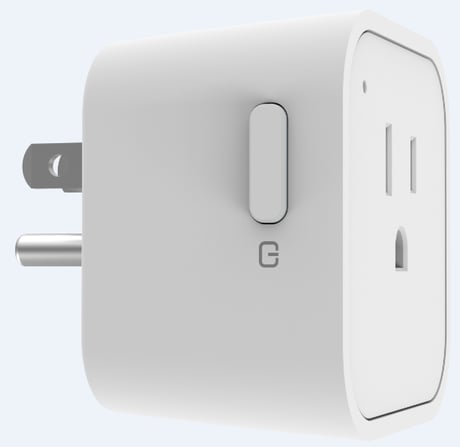
Product Picture


1 - Relay state when power up
Relay state when power up 0 : Last relay state (default setting) 1 : Relay on 2 : Relay offSize: 1 byte
Default: 0
Minimum: 0
Maximum: 2
Possible values
| From | To | Desription |
|---|---|---|
| 0 | 2 | Relay state when power up |
2 - Auto report relay state
Auto report relay state 0 : Disable 1 : Enable (default setting)Size: 1 byte
Default: 1
Minimum: 0
Maximum: 1
Possible values
| From | To | Desription |
|---|---|---|
| 0 | 1 | Auto report relay state |
1. Put the Z-Wave controller into ""Add (Inclusion)"" mode. 2. Power on the device. 3. The LED is blinking while scanning the network and. This process may take up to 30 seconds. (In the meanwhile, our device will send its NIF.) 4. If the add process is successful, the LED will turn off and restore to relay state. If the process failed, press the On/Off button once and the device will be in auto add mode again.
1. Set the Z-Wave controller to ""Remove (Exclusion)"" mode. 2. Press the On/Off button three times within two seconds. 3. The LED will be blinking for one second. (In the meanwhile, our device will send its NIF.) Note 1: if the Remove process is successful, the node ID will be cleared and the device will be in auto add mode. Note 2:Relay state default off
Not battery powered
1. Press the On/Off button 4 times within two seconds and hold the 4th press until the LED lights up. 2. The LED will turn off after three seconds. The node ID will be cleared and all settings will be reset to factory defaults. 3. The device will be in auto add mode. Note 1 :Relay state default off Note 2: Please use this procedure only when the network primary controller is missing or otherwise inoperable.
Meter: The device support below metering scale. -0x00 Accumulate power consumption (kWh) (Meter Get Command of Version 1 default scale) -0x02 Power consumption (W) -0x04 AC load voltage (V) -0x05 AC load current (A) -0x06 Load power factor (PF) Note: Default scale:kWH(Meter Get Command of Version 1)
| Type | Value(s) |
|---|
| Meter type |
|---|
| Electric Meter Consumption |