OBLOliving
Home Automation Gateway
DOC400
Gateway
HW: 3 FW: 4.05:02.00
ZM5304
6.51.06
0x0296 (662)
0x0001 (1)
0x0001 (1)
ZC10-17015393
2017-01-17 21:41:42.762882
N/A
Static Controller
Central Static Controller
Protocol agnostic, intelligent home automation controller providing control, monitoring and automation features.
OBLO Home Automation gateway device takes central place in home automation system. Our stylish desktop gateway supports both Z-Wave Plus and IP home automation protocols. It is based on a cost-effective “proven” SoC with outstanding LAN/Wi-Fi capabilities and supports worldwide markets thanks to the external power supply. Combined with OBLO client (Android/iOS/HTML) applications and OBLO cloud service it provides a turnkey platform that covers lighting, security, safety, energy management and other aspects of the fast-growing home automation markets.
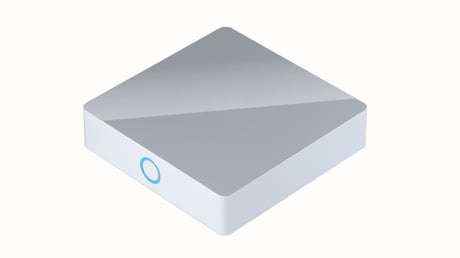
Product Picture
To enable DOC400 Gateway to receive information from another controller, start learn mode. To put controller into learn mode, from client application select Home setup, select gateway and from the drop down list select Add device. finally in option menu select Learn mode. Other way to initiate learn mode Short press BACK button twelve times. When controller enters learn mode it will lose all Z-Wave devices that were previously included. To include DOC400 Gateway to another controller network, start inclusion on the inclusion controller and start Learn mode on DOC400 gateway.
Reset user preferences - This function will permit to reset all user configuration settings. Short press on FRONT button six times will reset user preferences. During reset LED blink red two times per second. Factory settings - The factory settings function will reset the gateway to the state in which it was delivered. Doing so will delete all of the saved data. Furthermore, all saved Z-Wave settings will be deleted as well as the scenarios already created. Short press on BACK button nine times gateway will reset on factory settings. During reset LED blink red one time per second. If this controller is the primary controller for your network, resetting it will result in the nodes in your network being orphaned and it will be necessary after the reset to exclude and re-include all of the nodes in the network. If this controller is being used as a secondary controller in the network, use this procedure to reset this controller only in the event that the network primary controller is missing or otherwise inoperable.
To open network for inclusion, from client application select Home setup, select gateway and from the drop down list select Add device. finally select Find devices. Other way to open network for inclusion is to press shortly 2x front button on the gateway.
To open network for exclusion, from client application select Home setup, select gateway and from the drop down list select Add device. finally in option menu select Exclude device. Other way to open network for exclusion is to press shortly 4x front button on the gateway.
| Type | Value(s) |
|---|