Ecolink Intelligent Technology
Z-Wave Plus Single Gang Decora Wireless Light Switch
DLS-ZWAVE5
On/Off Power Switch
HW: 255 FW: 10.01
ZM5202
6.51.09
0x014A (330)
0x0006 (6)
0x0001 (1)
ZC10-17025449
2017-02-24 20:50:57.083109
N/A
Enhanced Slave
Listening Sleeping Slave
Yes
The Z-Wave Plus Single Gang Decora Wireless Light Switch is Ecolink's battery powered light switch cover that allows remote control of the lights within a house via Z-Wave Plus certified connection.
Easy to install in one minute by removing the existing switch plate and installing the Ecolink Z-Wave Plus Single Gang Decora Wireless Light Switch on the switch. No need to touch any electrical wiring. Product Specifications: • For indoor use only • Operating frequency: 908.42 MHz • Operating temperature: 0° – 49°C, 32° – 120°F (ambient temperature) • Operating humidity 5-95% non-condensing • 2 AA batteries • Battery Life: Approximatly 1 year
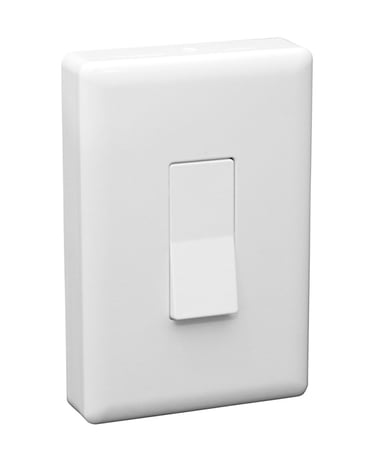
Product Picture
The Z-Wave Plus Decora Light Switch must be added to a Z-Wave Plus network prior to use. To include the device in a network both the device and the network controller must be in inclusion mode at the same time. Refer to the instructions provided by the manufacturer of your specific controller for details on initiating the controller’s inclusion mode. 1) Verify that the Z-Wave Plus controller you are using is compatible with the Z-Wave Plus Decora Light Switch. 2) Locate the light switch desired to be used with the Z-Wave Plus Decora Light Switch. 3) Put your Z-Wave Plus Controller into add (inclusion) mode. 4) Press the inclusion button on the Z-Wave Plus Decora Light Switch. (Figure 1) 5) The LED on the front of the unit will turn off if successfully included into a network.
1) Any Z-Wave Plus Device can be removed from any Z-Wave Plus controller. Follow the directions to put your Z-Wave Plus Controller into exclusion mode. 2) Press the inclusion / exclusion button on the Z-Wave Plus Decora Light Switch.
The Z-Wave Plus device is automatically factory defaulted when removed from a Z-Wave Plus network. Please use this procedure only when the network primary controller is missing or otherwise inoperable.
| Type | Value(s) |
|---|