Enerwave Green Automation
Ceiling Mounted PIR Motion Sensor
ZWN-BPC
Notification Sensor
HW: 1 FW: 5.10
ZM5202
6.51.09
0x011A (282)
0x0601 (1537)
0x0901 (2305)
ZC10-17015395
2017-01-13 18:42:58.805404
N/A
Routing Slave, No FLiRS, No MR
Reporting Sleeping Slave
Yes
It is a Ceiling Mounted PIR Motion Sensor. It can control association switch.
The PIR Motion Sensor ZWN-BPC is a Z-Wave enabled device and is fully compatible with other Z-Wave certified device from other manufacturers. With the ZWN-BDS to monitor the environment and provide hand-free lighting control, it can also trigger a Z-Wave enabled alarm when motion is detected and when there is movement within or across the detection of coverage, one triggering signal will be transmitted to all associated Z-Wave devices.
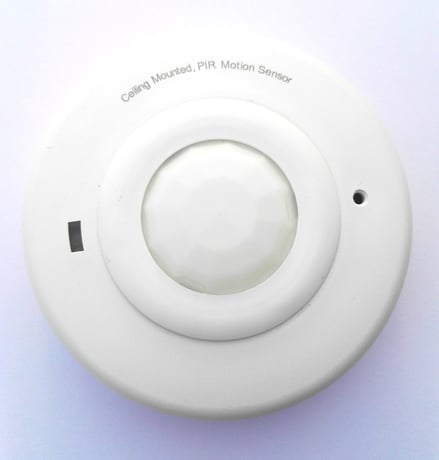
Product Picture


1 - configure time
Configuration parameter can be used to adjust the delay time of sending basic set off command after motion sensor sends the basic set on when motion detected. Exmple, if the configure parameter is 3 , the nodes of association group 4 that have turn on ,will turn off after third times waking up. When the Wake_Up_Internal are 5 minutes ,the minimum time of turning on are 15 minutes.Size: 1 byte
Default: 1
Minimum: 0
Maximum: 0
Possible values
| From | To | Desription |
|---|---|---|
| 1 | 7 | n*WAKE_UP _INTERVAL (n:1-7) |
1. When the controller is in add mode, press and hold the program button of ZWN-BPC for 2 second, and then the controller will verify the add.
2. When the controller is in remove mode, press and hold the program button of ZWN-BPC for 2 second, and then the controller will remove it from the current Z-Wave network.
Once short press the program button it will send singlecast wake up notification to controller devices.
3. Once program button is pressed and hold for 10 second, the device will send a device reset locally notification to controller. Then clear all the module. Use this procedure only in the event that the network primary controller is missing or otherwise inoperable.
| Type | Value(s) |
|---|
| Sensor type |
|---|
| General Purpose |