Ubitech
Hub
DMGW1
Central Controller
HW: 1 FW: 2.23
ZM5202
6.51.06
0x021F (543)
0x0001 (1)
0x0001 (1)
ZC10-17015410
2017-01-29 19:59:34.279243
N/A
Static Controller
Central Static Controller
Yes
Command Center - Works with the App and the Cloud to provide control and monitoring of the system from anywhere in the world.
Command Center of the system. Works together with the App to control the Sensor Network. ·Instant Plug and Play Setup - New Sensors set-up simply by turning them on. The Hub seeks them out and adds them to the Home Network ·Remote Firmware Upgrades - Hub receives automatic upgrades with new features and fixes from the Cloud with little or no user involvement ·Network Control - Works with most leading Home Automation network devices ·Z-Wave+ Certification ensures the highest level of Security Encryption in Wireless Communication ·Battery Back-up - Can run for 4 hours on 4 Ni-MH Rechargeable Batteries when power is out ·1 Year limited Warranty
Clicking the “Learn” button turns the controller in a function where it will accept inclusion requests from other controllers. The controller status dialog on the upper left hand side shows this status. The Learn mode will time out after about 20 seconds or when the device was included successfully. It is also possible to manually terminate the mode.
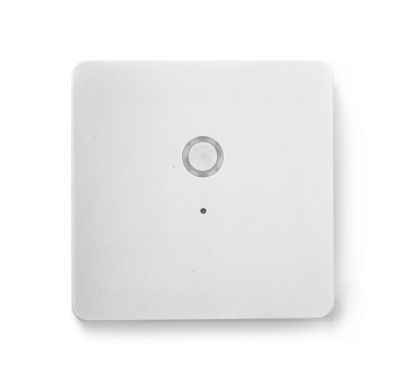
To reset the Network to the default settings, press and hold the Main button(on top of the Z-box) for 10 seconds. Release the button when the LED quickly flashes red indicating reset. Refer to the Dome App to reconnect the Z-box. If this controller is the primary controller for your network, resetting it will result in the nodes in your network being orphaned and it will be necessary after the reset to exclude and re-include all of the nodes in the network. If this controller is being used as a secondary controller in the network, use this procedure to reset this controller only in the event that the network primary controller is missing or otherwise inoperable.
User can install 4 NiMH battery as power back up, in this case Z-Box can run 6 hours during power interruption.
The device management box shows the status of the controller. The “(Re-)Include Device” the controller into the Inclusion resp. The inclusion modes will time out after about 20 seconds but can always be terminated using the “Stop” buttons.
The device management box shows the status of the controller. The “Exclude Device” the controller into the Exclusion resp. The exclusion modes will time out after about 20 seconds but can always be terminated using the “Stop” buttons.
| Type | Value(s) |
|---|