LEEDARSON
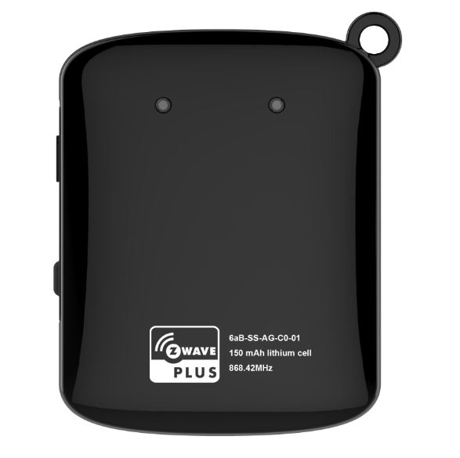
Arrival Sensor
6aB-SS-AG-C0
Notification Sensor
HW: 1 FW: 2.08
ZM5101
6.51.09
0x0300 (768)
0x0003 (3)
0x0002 (2)
ZC10-17025451
2017-02-28 00:14:03.861087
N/A
Enhanced 232 Slave
Reporting Sleeping Slave
Yes
Arrival Sensor lets you stay connected with the people who matter most to you.
Arrival Sensor lets you stay connected with the people who matter most to you. By placing the sensor on your keychain, in a purse, in a glove compartment, or around a pet’s collar, you can receive notifications when a person, pet, or car arrives and leaves home


10 - Low Battery Power Level of alarm threshold values
Low Battery Power Level of alarm threshold values: the value range are 10~50 for percentage, so the Battery Low Power level can setting 10%~50%.Size: 1 byte
Default: 10
Minimum: 0
Maximum: 0
Possible values
| From | To | Desription |
|---|---|---|
| 10 | 50 | Battery Low Power level can setting 10%~50% |
254 - Configuration Lock function
Configuration Lock function: when it was lock then the other parameters value cannot change unless this parameter.Size: 1 byte
Default: 0
Minimum: 0
Maximum: 0
Possible values
| From | To | Desription |
|---|---|---|
| 0 | 0 | unlock |
| 1 | 1 | lock |
255 - Reset
Reset the Z-wave network or configuration parameter.Size: 4 bytes
Default: 0
Minimum: 0
Maximum: 0
Possible values
| From | To | Desription |
|---|---|---|
| 143165576 | 143165576 | Reset to factory configuration and removed the Z-wave network. |
| -2013265920 | -2013265920 | Reset Configuration parameter toConfiguration parameter default value. |
1. Set the Z-Wave network main controller into learning mode. 2. Triggering this action button. 3. If the add for inclusion is successful, the LED will blink less than 5 seconds and then keep on 3 seconds. Otherwise, the LED will blink 8 seconds and then turn off, in which case you need to repeat the process from step 2.
1. Set the Z-Wave network main controller into learning mode. 2. Triggering this action button. 3. If the remove for exclusion, the LED will turn off within 1 second. Otherwise, the LED will blink 8 seconds and then turn off, in which case you need to repeat the process from step 2.
Press the study key three times then the Arrival sensor sending Wake Up Notification to Gateway to report it was wake up. Please make sure the Arrival Sensor is added to the Z-wave network.
Press and hold more than 5 seconds,led will keep on until the Z-Button is released; Arrival Sensor will send “Device_Reset_Locally” to the main controller and exclude from the Z-Wave network when the Z-Button is released, this procedure will reset the Sensor to factory default. Please use this procedure only when the network primary controller is missing or otherwise inoperable.
| Type | Value(s) |
|---|
| Group | Type |
|---|---|
| Heat Alarm | (Refer to parameters): State idle |
| Clock | (Refer to parameters): State idle |