Climax Technology
Energy Meter
EMD-1ZW
Whole Home Meter - Simple
HW: 255 FW: 1.37
ZM5202
6.51.09
0x018E (398)
0x0004 (4)
0x000C (12)
ZC10-17035458
2017-03-06 18:22:46.078301
N/A
Enhanced 232 Slave
Listening Sleeping Slave
Yes
EMD-1ZW E-Meter is a power metering device designed to measure electricity consumption from the electricity meter.
EMD-1ZW E-Meter is a power metering device designed to measure electricity consumption from the electricity meter. E-Meter counts LED pulses from the house meter and converts it to Watt and accumulated KWh. Measuring your home’s energy consumption is the first and most important step toward reducing energy consumption and achieving greater energy efficiency.
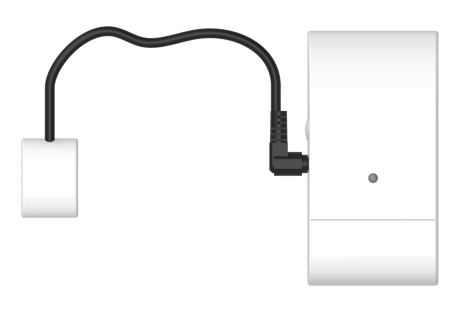
This product can be included and operated in any Z-Wave network with other Z-Wave certified devices from other manufactures and/or other applications. All non-battery operated nodes within the network will act as repeaters regardless of vendor to increase reliability of the network. -Insert batteries to power on the E-meter. -Put the Z-Wave control panel into Inclusion mode (please refer to the Z-Wave control panel manual). -Within 1.5 seconds, press the Function Button 3 times. -Refer to operation manual of the Z-Wave Gateway or Control Panel to complete the adding process. If the device has already been added (included) into another Z-Wave Gateway/Control Panel, or if the device is unable to be added into the current Z-Wave Gateway/Control Panel, try removing it first (see Removing Device).
The device must be removed from existing Z-Wave network before being added into another. Exclusion Mode -Put the Z-Wave Gateway or Control Panel into Exclusion mode (please refer to the Z-Wave or control panel manual). -Within 1.5 seconds, press the Function Button 3 times and the device will be removed from the Z-Wave network.
Factory resetting the device will restore it to factory default settings (i.e. not included into any Z-Wave network). Please only use this procedure if the Z-Wave Gateway or Control Panel is lost or otherwise inoperable. -Press and hold the Function Button of the device for 10 seconds to factory reset.
| Type | Value(s) |
|---|
| Meter type |
|---|
| Electric Meter Consumption |