Hank
IR Transceiver
HKZW-ACC01
AV Control Point
HW: 1 FW: 1.00:01.00
ZM5202
6.51.09
0x0208 (520)
0x0101 (257)
0x0007 (7)
ZC10-17035506
2017-03-24 19:37:50.203182
N/A
Enhanced 232 Slave
Always On Slave
ACC01 is an IR Transceiver based on ZWAVE technology.
ACC01 is an IR Transceiver based on ZWAVE technology. It is used for sending IR codes to infrared communication controlling devices such as TV , air condition and TV box .
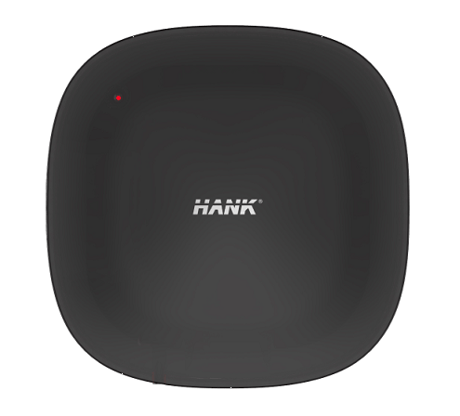
Product Picture


93 - Clear all IR information
Device will clear all stored IR code.Size: 4 bytes
Default: 0
Minimum: 0
Maximum: 0
Possible values
| From | To | Desription |
|---|---|---|
| 1431655765 | 1431655765 | Device will clear all stored IR code. |
254 - Enable/disable the configuration command
Lock/unlock all configuration parameters.Size: 1 byte
Default: 0
Minimum: 0
Maximum: 0
Possible values
| From | To | Desription |
|---|---|---|
| 0 | 0 | Unlock |
| 1 | 1 | lock |
255 - Reset device
Reset to factory default settings and removed from the Z-Wave network.Size: 4 bytes
Default: 0
Minimum: 0
Maximum: 0
Possible values
| From | To | Desription |
|---|---|---|
| 1431655765 | 1431655765 | Reset to factory default settings and removed from the Z-Wave network. |
Add for inclusion (non-security): 1. Connect power supply. 2. Set the Z-Wave network main controller into learning mode. 3. Triple clicking the Z- button. 4. If the add for inclusion is successful, the LED will blink fast for less than 5 seconds and then keep on. Otherwise, the LED will blink 5 seconds and then keep blinking slowly, in which case you need to repeat the process from step 2. Add for inclusion (security): 1. Connect power supply. 2. Set the Z-Wave network main controller into learning mode. 3. Press and hold the Z-button for 3 seconds. If the add for inclusion is successful, the LED will blink for less than 5 seconds and then keep on. Otherwise, the LED will blink 5 seconds and then keep blinking slowly, in which case you need to repeat the process from step 2.
Remove for exclusion; 1. Connect power supply. 2. Set the Z-Wave network main controller into learning mode. 3. Triple clicking the Z- button. 4. If the remove for exclusion is successful, Led will blink fast for less than 5 seconds and keep blinking slowly. Otherwise, led will blink for 5 seconds and then keep on , in which case you need to repeat the process from step 2.
Press and hold the Z-button for 20 seconds. IR Transceiver will send “Device_Reset_Locally” to the main controller and exclude from the Z-Wave network, this procedure will reset the Sensor to factory default. Please include a request to use the reset procedure only when the primary controller is missing or inoperable.
| Type | Value(s) |
|---|