CyberTAN Digital Home
CyberTAN
ZE250
Gateway
HW: 4 FW: 4.05:03.07
ZM5202
6.51.06
0x008C (140)
0x0001 (1)
0x003D (61)
ZC10-17065621
2017-03-30 22:29:56.063376
N/A
Static Controller
Central Static Controller
Intel Quark SoC Series Powered, Low cost IoT gateway targeted for smart home applications.
Intel Quark SoC Series Powered, Low cost IoT gateway targeted for smart home applications. Assurance of integrity of physical property, personal safety and well being of loved ones. Includes use cases such as Home Automation, Security, Health and Energy management.
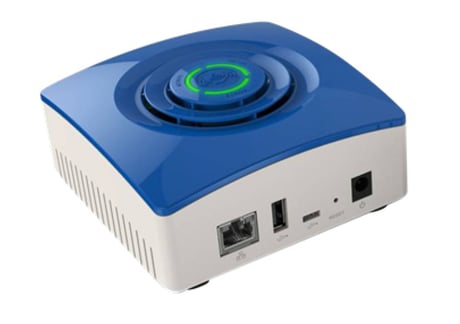
Product Picture
To include the controller into an existing Z-Wave network, use the UI and follow the steps below. Click on Settings -> Z-Wave Settings -> Advanced, select 'Copy Z-Wave network from a primary controller. This will shift the controller to have a secondary controller role and will receive data from the primary controller in the network.
If this controller is the primary controller for your network, resetting it will result in the nodes in your network being orphaned and it will be necessary after the reset to exclude and re-include all of the nodes in the network. If this controller is being used as a secondary controller in the network, use this procedure to reset this controller only in the event that the network primary controller is missing or otherwise inoperable. To reset the controller, press the reset button for 6 times in 6 seconds. This will reset it to factory default.
To include a Z-Wave product into the network, you can use the UI and follow the on- screen instructions that read as follows: Select Add device -> Pick the device to be included in the network from the list -> Follow the steps for inclusion of the device -> Once the device is detected, save the name of the device and the device completes the configuration process.
To exclude a Z-Wave product into the network, you can use the UI and follow the on- screen instructions that read as follows: Navigate to the device -> Select the delete device option -> Choose to un-pair and follow the instructions.
| Type | Value(s) |
|---|