Eelectron SpA
Push button 3025
SB41CxxZWE
On/Off Power Switch
HW: 1 FW: 1.06
ZM5202
6.51.10
0x031F (799)
0x0001 (1)
0x1080 (4224)
ZC10-17055609
2017-04-05 04:06:33.907577
N/A
Enhanced 232 Slave
Always On Slave
Four channels pushbutton for lighting control with 1 integrated 10A 250V relay and 1 RGB Led for feedbacks. Compliant with 55x55 systems.
3025 push button is a 4 channels switch with 1 integrated 10A 250V relay, compliant with 55x55 systems. Equipped with 1 RGB Led for buttons feedback and relay status. The device can control electrical loads or dimmerable actuators. The module is controlled either through the Z-Wave network or a simple switch. Designed to replace your conventional switch and control the connected load. The device works with 3-wires system, so neutral is required.
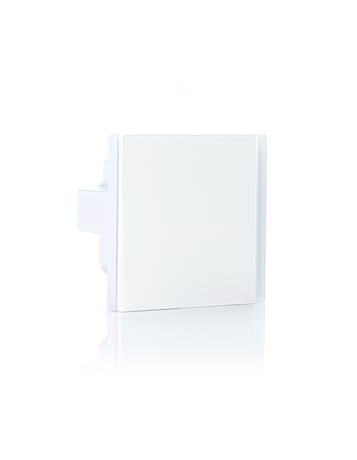
Product Picture


1 - Local load control
Defines which button is related to the control of the local load.Size: 1 byte
Default: 1
Minimum: 0
Maximum: 0
Possible values
| From | To | Desription |
|---|---|---|
| 4 | 0 | Relay controlled by button 4 |
| 2 | 0 | Relay controlled by button 2 |
| 1 | 0 | Relay controlled by button 1 |
| 3 | 0 | Relay controlled by button 3 |
| 0 | 0 | None of the buttons controls the local load |
2 - Control of devices linked with groups 2,3,4,5,6,7,8,9
Defines in which cases the control of the linked devices will be activated with a "click" of a configured button. In order to control devices linked to a group these devices have to belong to this group.Size: 1 byte
Default: 3
Minimum: 0
Maximum: 0
Possible values
| From | To | Desription |
|---|---|---|
| 1 | 0 | The possible associations will ignored and associated devices will be not controlled |
| 2 | 0 | The associated devices will always be controlled by a click of one of the four buttons |
| 3 | 0 | The associated devices will be controlled only from those buttons that aren’t associated to the local load |
3 - Defines to which button is associated the All On/Off function
This parameter allows you to control devices associated with the button in a predefined way and not depending on their current state or command sent previously.Size: 1 byte
Default: 0
Minimum: 0
Maximum: 0
Possible values
| From | To | Desription |
|---|---|---|
| 0 | 0 | Button 1 - on/off standard control |
| 1 | 0 | Button 1 - always on |
| 2 | 0 | Button 1 - always off |
| 4 | 0 | Button 2 - always on |
| 8 | 0 | Button 2 - always on |
| 16 | 0 | Button 3 - always on |
| 32 | 0 | Button 3 - always on |
| 64 | 0 | Button 4 - always on |
| -128 | 0 | Button 4 - always on |
5 - LED Feedback
Defines which events trigger LED feedback. The value to be entered for this parameter it’s calculated as the sum of the values associated with the individual entities indicated in table.Size: 1 byte
Default: 3
Minimum: 0
Maximum: 0
Possible values
| From | To | Desription |
|---|---|---|
| 1 | 0 | LED reporting state of the Relay |
| 2 | 0 | Feedback on press button |
60 - Status at Power on
Status after device restart.Size: 1 byte
Default: 4
Minimum: 0
Maximum: 0
Possible values
| From | To | Desription |
|---|---|---|
| 1 | 0 | Local Relay close |
| 2 | 0 | Local Relay open |
| 4 | 0 | Keep status before power down |
61 - Configuration Reset
Define which parameters will be set to Factory Defaults.Size: 1 byte
Default: 4
Minimum: 0
Maximum: 0
Possible values
| From | To | Desription |
|---|---|---|
| 1 | 0 | All and only the associations are reset |
| 2 | 0 | The associations are preserved while all other parameters of configuration will be reset to Factory defaults, except this one that remains unchanged |
| 3 | 0 | Device will be restarted |
| 4 | 0 | No action is carried out |
62 - Switch or dimmer option
This parameter define the behaviour of the button between switch and dimmer functions.Size: 1 byte
Default: 0
Minimum: 0
Maximum: 0
Possible values
| From | To | Desription |
|---|---|---|
| 0 | 0 | Button 1 - Switch |
| 1 | 0 | Button 1 - Push button |
| 2 | 0 | Button 1 - Dimmer |
| 4 | 0 | Button 2 - Push button |
| 8 | 0 | Button 2 - Dimmer |
| 16 | 0 | Button 3 - Push button |
| 32 | 0 | Button 3 - Dimmer |
| 64 | 0 | Button 4 - Push button |
| -128 | 0 | Button 4 - Dimmer |
63 - Light intensity at switch on
This parameter set the Light intensity at switch on. This behaviour is only appliable to dimmer.Size: 1 byte
Default: 0
Minimum: 0
Maximum: 0
Possible values
| From | To | Desription |
|---|---|---|
| 0 | 0 | Button 1 - maximum brightness |
| 1 | 0 | Button 1 - fixed value 60% |
| 2 | 0 | Button 1 - previous value |
| 4 | 0 | Button 2 - fixed value 60% |
| 8 | 0 | Button 2 - previous value |
| 16 | 0 | Button 3 - fixed value 60% |
| 32 | 0 | Button 3 - previous value |
| 64 | 0 | Button 4 - fixed value 60% |
| -128 | 0 | Button 4 - previous value |
64 - Increase or decrease brightness
This parameter allows you to set the ramp time during dimming.Size: 1 byte
Default: 0
Minimum: 0
Maximum: 0
Possible values
| From | To | Desription |
|---|---|---|
| 0 | 0 | Button 1 - Seconds |
| 1 | 0 | Button 1 - 5 Seconds |
| 2 | 0 | Button 1 - 10 Seconds |
| 4 | 0 | Button 2 - 5 Seconds |
| 8 | 0 | Button 2 - 10 Seconds |
| 16 | 0 | Button 3 - 5 Seconds |
| 32 | 0 | Button 3 - 10 Seconds |
| 64 | 0 | Button 4 - 5 Seconds |
| -128 | 0 | Button 4 - 10 Seconds |
The device supports both the mechanism “Network Wide Inclusion” (which offers the possibility of inclusion in a network even though the device is not directly related to the controller) and the “Normal Inclusion”. If the device is in factory default configuration, the single click of one of the buttons, starts the “Network Wide Inclusion” process that lasts for a time between 15 and 30 seconds.
Only a controller has the ability to remove a device from the Z-Wave network where is included. SB41CxxZWE is compatible with all certified Z-Wave controllers. The exclusion procedure must be initiated by the controller and ended on the device that can be removed with the triple consecutive pressing of one of the buttons on the device.
To restore the device to the original factory configuration one of the following methods can be adopted: 1. Remove the device from the Z-Wave network using the controller; 2. Disconnect the device from the main power supply and reconnect it pressing consecutively six times one of its buttons within 1 minute from the device start. Please use this procedure only when the network primary controller is missing or otherwise inoperable. INFO: Upon removal, if the device (node) is included in a network it notifies to other devices its removal (Device Reset Locally Notification). If the device receives a notification of removal from part of another device in the network, the associations of the latter will be removed.
| Type | Value(s) |
|---|