Oomi
Mote
FT130-B
Wall Controller
HW: 130 FW: 1.07
ZM5101
6.61.00
0x016A (362)
0x0202 (514)
0x0082 (130)
ZC10-17045534
2017-04-05 03:47:10.466949
N/A
Enhanced 232 Slave
Portable Slave
Oomi Mote is an intelligent Z-Wave remote controller that is mounted on a wall
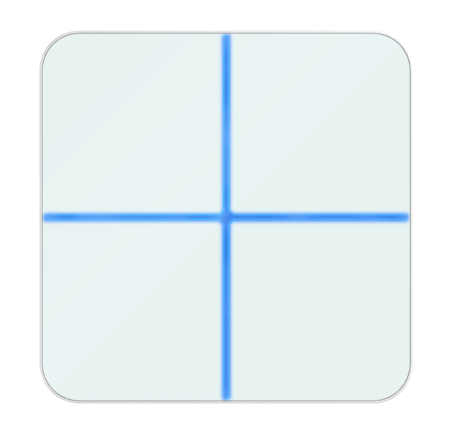
Oomi Mote is an intelligent Z-Wave remote controller that mounted on a wall. It has 4 touch buttons that you can easily control the Z-Wave devices in your home network via touching, long pressing or sliding the button areas. Its surface has a RGB LED to indicate the button actions also accompanied by touch beep and vibration. The Mote is also a security Z-Wave device and supports Over The Air (OTA) feature for the products firmware upgrade.


1 - Enable/disable the touch sound.
Enable/disable the touch sound.Size: 1 byte
Default: 1
Minimum: 0
Maximum: 0
Possible values
| From | To | Desription |
|---|---|---|
| 1 | 1 | Enable |
| 0 | 0 | Disable |
2 - Enable/disable the touch vibration.
Enable/disable the touch vibration.Size: 1 byte
Default: 0
Minimum: 0
Maximum: 0
Possible values
| From | To | Desription |
|---|---|---|
| 1 | 1 | Enable |
| 0 | 0 | Disable |
3 - Enable/disable the function of button slide.
Enable/disable the function of button slide.Size: 1 byte
Default: 1
Minimum: 0
Maximum: 0
Possible values
| From | To | Desription |
|---|---|---|
| 0 | 0 | Disable |
| 1 | 1 | Enable |
4 - To configure which report will be sent when pressing the buttons.
To set which notification would be sent to the associated devices (Group 1) when pressing the buttons.Size: 1 byte
Default: 1
Minimum: 0
Maximum: 0
Possible values
| From | To | Desription |
|---|---|---|
| 1 | 1 | Send Central Scene Command Notification |
| 3 | 3 | Send Central Scene Command Notification and Configuration report |
39 - Set the low battery value.
Set the low battery value..Size: 1 byte
Default: 5
Minimum: 0
Maximum: 0
Possible values
| From | To | Desription |
|---|---|---|
| 5 | 50 | The value range is 5% to 50%. |
255 - Reset the Mote
Reset the Mote to factory default.Size: 4 bytes
Default: 0
Minimum: 0
Maximum: 0
Possible values
| From | To | Desription |
|---|---|---|
| 0 | 0 | Reset all configuration parameters to factory default setting |
| 1431655765 | 1431655765 | Reset to factory default setting and removed from the z-wave network |
Turn the primary controller of Z-Wave network into inclusion mode, short press the product’s Action button that you can find on the product's housing.
Turn the primary controller of Z-Wave network into exclusion mode, short press the product’s Action button that you can find on the product's housing.
Press and hold the Action button that you can find on the product's housing for 20 seconds and then release. This procedure should only be used when the primary controller is missing or inoperable.
Support ""Over the Air Firmware Updating"" and “Z-Wave Security”.
| Type | Value(s) |
|---|