Zipato
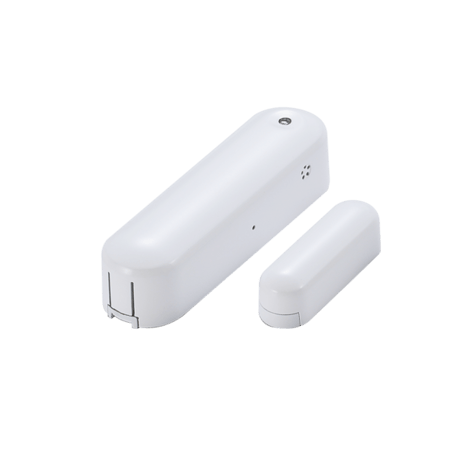
Zipato 4 in 1 Door Sensor
vs-zd2301.eu
Notification Sensor
HW: 2 FW: 6.01:10.01
ZM5202
6.51.06
0x0131 (305)
0x201F (8223)
0x1F20 (7968)
ZC10-17055583
2017-05-07 13:58:34.120257
N/A
Enhanced 232 Slave
Reporting Sleeping Slave
Yes
Door/Window, humidity, temperature and luminance sensor.
Door/Window, humidity, temperature and luminance sensor. * Primarily used as dry contact door/window sensor. * Very low power consumption * LED indicator * Easy installation


1 - Temperature report unit
Select the temperature report unit, Celsius or FahrenheitSize: 1 byte
Default: 0
Minimum: 0
Maximum: 0
Possible values
| From | To | Desription |
|---|---|---|
| 0 | 0 | Celsius |
| 0 | 1 | Fahrenheit |
2 - Temperature report threshold
Send temperature report when temperature changes by this amount.Size: 1 byte
Default: 1
Minimum: 0
Maximum: 0
Possible values
| From | To | Desription |
|---|---|---|
| 1 | 50 | in 0.1 Celsius increments |
3 - Humidity report threshold
Send humidity report when humidity changes by this amount.Size: 1 byte
Default: 10
Minimum: 0
Maximum: 0
Possible values
| From | To | Desription |
|---|---|---|
| 1 | 50 | range from 1 to 50 percent |
4 - Luminance report threshold
Send luminance report when luminance changes by this amount.Size: 1 byte
Default: 10
Minimum: 0
Maximum: 0
Possible values
| From | To | Desription |
|---|---|---|
| 0 | 50 | range from 0 to 50 percent |
Put the Z-WaveTM Interface Controller into “inclusion” mode, and following its instruction to add the ZD2301 to your controller. To get in the “inclusion” mode, the distance between sensor and controller is suggested to be one meter. Press the program switch of ZD2301 for sending the NIF. After sending NIF, Z-Wave will send the auto inclusion; otherwise, ZD2301 will go to sleep after 20 seconds.
Put the Z-WaveTM Interface Controller into “exclusion” mode, and following its instruction to delete the ZD2301 from your controller. Press the program switch of ZD2301 for 1 second at least to be excluded.
Press the Program SW, the LED will flash one time and ZD2301 will send “Wake Up Notification” after 5 seconds. If ZD2301 received “Wake Up No More Information” command then the ZD2301 will go to sleep or it will wait 10 seconds then go to sleep. It will precede all the commands after sending the “Wake Up Notification”
All user and network settings will be cleared and the device reset to factory defaults when the device is excluded. Please use this procedure only in the event if the network controller is missing or is otherwise inoperable.
| Type | Value(s) |
|---|
| Group | Type |
|---|---|
| Access Control | (Refer to parameters): State idle |
| Home Security | (Refer to parameters): State idle |
| Sensor type |
|---|
| Air Temperature |
| Illuminance |
| Humidity |