EVA LOGIK
Smart Plug switch
ZW36
On/Off Power Switch
HW: 0 FW: 20.15
ZM5202
6.51.06
0x0312 (786)
0xB211 (45585)
0x241C (9244)
ZC10-17045547
2017-04-17 20:56:39.071679
N/A
Routing Slave
Always On Slave
The smart plug provides one Z-Wave outlet for remote controlled by controller and can be configured in Z-Wave sensor network,
The smart plug provides one Z-Wave outlet for remote controlled by controller and can be configured in Z-Wave sensor network, if Z-Wave certified controller features remote access, you can now control your device from your mobile phone devices. The outlets have maximum load for 600W Incandescent, ½ HP motor or 1200W resistive.
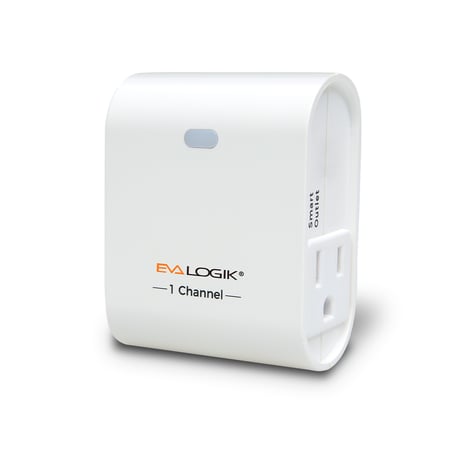
Product Picture as Published
1. Follow the instructions for your Z-Wave certified controller to include a device to the Z-Wave network. 2. Once the controller is ready to include your device, press up and release the toggle to include it in the network. 3. Once your controller has confirmed that the device has been included, refresh the Z-Wave network to optimize performance. 4. The device is associated in the same group when it included in setting process. Now you can control your Z-Wave device according to groups, scenes, schedules and automation programmed.
1. Follow the instructions for your Z-Wave certified controller to exclude a device from the Z-Wave network. 2. Once the controller is ready to Exclude your device, press up and release the front button to exclude it from the network.
1. Press and hold the top button for at least 3 seconds while you plug the smart switch into a receptacle. 2. Use this procedure only in the event that the network primary controller is missing or otherwise inoperable.
| Type | Value(s) |
|---|