Beanbag
Beanbag Thermostat
BBK001-Z00
Multilevel Sensor
4.3.0.2.1
ZM5202
None
0x0059 (89)
0x0013 (19)
0x0001 (1)
ZC10-17065653
2017-06-06 20:35:21.508773
N/A
Portable Controller
Reporting Portable Controller
Yes
The Beanbag thermostat provides wireless temperature control of the space. Installation, set point adjustment and battery status are all facilitated via the high quality OLED display.
The Beanbag electronic room thermostat provides wireless temperature control of the space. It is battery powered by 2 X AA alkaline batteries with a projected operational life of > 2 years. The high quality OLED display provides access to the ambient temperature reading with a range of 0⁰C to 35⁰C with a granularity of 0.1⁰C. Set point adjustment is possible between 5⁰C to 35⁰C with a granularity of 0.5⁰C. It is designed to be wall mounted using a click on wall plate with optional facia plate. Enclosure protection is to IP30 with an operating temperature range of 0⁰C to 40⁰C. The HAN is established following a step by step process via the OLED display.
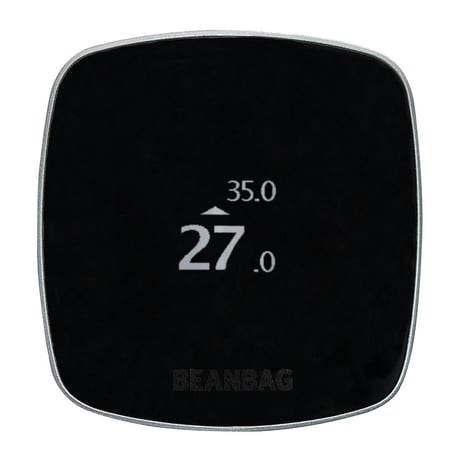
Product Picture


1 - Delta Temperature for Association Group 2
Delta Temperature for Association Group 2Size: 1 byte
Default: 10
Minimum: 0
Maximum: 0
Possible values
| From | To | Desription |
|---|---|---|
| 0 | 100 | in 0.1 degree centigrade. |
2 - Temperature report Interval for association Group 2
Temperature report Interval for association Group 2Size: 1 byte
Default: 30
Minimum: 0
Maximum: 0
Possible values
| From | To | Desription |
|---|---|---|
| 0 | 255 | in minutes, Controllers may only allow configuring signed values. In order to set values in the range 128…255, the value sent in the application shall be equal to desired value minus 256. For example, to set Delta Temperature to 130, it may be needed to set a value 130−256=−126. |
3 - Minimum Set Point temperature
Minimum Set Point temperatureSize: 1 byte
Default: 5
Minimum: 0
Maximum: 0
Possible values
| From | To | Desription |
|---|---|---|
| 5 | 35 | in degree centigrade. |
4 - Maximum Set Point temperature
Maximum Set Point temperatureSize: 1 byte
Default: 35
Minimum: 0
Maximum: 0
Possible values
| From | To | Desription |
|---|---|---|
| 5 | 35 | in degree centigrade. |
5 - Delta Temperature for lifeline Group
Delta Temperature for lifeline GroupSize: 1 byte
Default: 0
Minimum: 0
Maximum: 0
Possible values
| From | To | Desription |
|---|---|---|
| 0 | 100 | in 0.1 degree centigrade. |
6 - Temperature report Interval for lifeline group
Temperature report Interval for lifeline groupSize: 1 byte
Default: 0
Minimum: 0
Maximum: 0
Possible values
| From | To | Desription |
|---|---|---|
| 0 | 255 | in degree centigrade. Controllers may only allow configuring signed values. In order to set values in the range 128…255, the value sent in the application shall be equal to desired value minus 256. For example, to set Delta Temperature to 130, it may be needed to set a value 130−256=−126. |
On thermostat in advance mode scroll to option “Add device”, then click OK button. On other Z-Wave device start learn process, thermostat will display outcome on completion of the process.
On thermostat in advance mode scroll to option “Remove device”, then click OK button. On other Z-Wave device start learn process, thermostat will display outcome on completion of the process.
On thermostat in advance mode scroll to option “Activate Learn Mode”, then click OK button.
On thermostat, click OK button when device screen is off, or in advance mode scroll to option “Enter listening mode” then click OK button.
On thermostat in advance mode scroll to option “Factory Reset”, then click OK button. Note: Please use this procedure only when the network primary controller is missing or otherwise inoperable
| Type | Value(s) |
|---|
| Sensor type |
|---|
| Air Temperature |