FLEX AUTOMATION
Meter Switch
FX-S69A
On/Off Power Switch
HW: 1 FW: 2.00
ZM5202
6.51.06
0x004F (79)
0x0004 (4)
0x0002 (2)
ZC10-17055612
2017-05-24 05:55:20.633015
N/A
Enhanced 232 Slave
Always On Slave
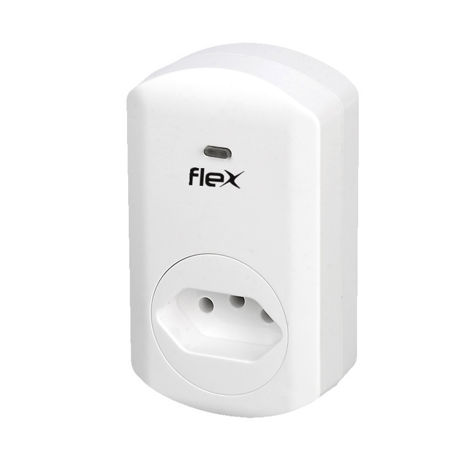
This smart energy plug in switch is wireless switch with power consumption detect, based on Z-Wave technology
This smart energy plug is able to detect current wattage (5-3000W) and overload wattage (3010-3300W) of connected lights or appliances. When detecting overload state, the switch will be disabled and its on/off button will be lockout of which LED will flash quickly. However, unplug and re-connect the switch and it will reset its overload condition to normal status.


1 - Change the state of indicator light
Default status of socket LED is on as indicator when the load is offSize: 1 byte
Default: 1
Minimum: 0
Maximum: 0
Possible values
| From | To | Desription |
|---|---|---|
| 0 | 1 | 1 means night light mode,0 means turn off the night light mode |
2 - Memory function
Default with memory: the socket status is same as before when power onSize: 1 byte
Default: 1
Minimum: 0
Maximum: 0
Possible values
| From | To | Desription |
|---|---|---|
| 0 | 1 | 0 means no memory function,1 means memory function |
3 - Watt Meter Report period
Watt Meter Report periodSize: 2 bytes
Default: 720
Minimum: 0
Maximum: 0
Possible values
| From | To | Desription |
|---|---|---|
| 1 | 32767 | Watt Meter Report period |
4 - KWH Meter Report period
KWH Meter Report periodSize: 2 bytes
Default: 6
Minimum: 0
Maximum: 0
Possible values
| From | To | Desription |
|---|---|---|
| 1 | 32767 | KWH Meter Report period |
5 - Threshold of Watt for load caution
Threshold of Watt for load cautionSize: 2 bytes
Default: 3000
Minimum: 0
Maximum: 0
Possible values
| From | To | Desription |
|---|---|---|
| 10 | 3000 | Threshold of Watt for load caution |
6 - Threshold of KWH for load caution
Threshold of KWH for load cautionSize: 2 bytes
Default: 10000
Minimum: 0
Maximum: 0
Possible values
| From | To | Desription |
|---|---|---|
| 1 | 10000 | Threshold of KWH for load caution |
1. Enter your Z-Wave controller into inclusion mode 2. Press the socket on/off button three times within 1.5 seconds to be included.
1. Enter your Z-Wave controller into exclusion mode 2. Press the socket on/off button three times within 1.5 seconds to be excluded.
1. To reset, press the socket on/off button three times within 1.5 seconds 2. then the fourth time, press and hold for seconds until the socket LED is off 3. the socket reset successfully Use the ""Reset"" procedure only in the event that the network primary controller is missing or otherwise inoperable
| Type | Value(s) |
|---|
| Meter type |
|---|
| Electric Meter Consumption |