Z-Wave Alliance
Certified Installer Toolkit
ZWEECIT1
Central Controller
HW: 1 FW: 2.03:01.00
ZM5202
6.71.00
0x031D (797)
0x1101 (4353)
0x0001 (1)
ZC10-17055617
2017-05-26 14:01:39.218576
N/A
Static Controller
Central Static Controller
The Certified Installer Tool is a Z-Wave controller with a collection of tools and features to aid in the installation of Z-Wave networks or to help diagnose, repair, or improve existing networks.
The Certified Installer Tool (CIT) is a Z-Wave controller with a collection of tools and features to aid in the installation of Z-Wave networks or to help diagnose, repair, or improve existing networks. The tool includes the ability to query devices to learn about them, to show routing and neighbor information, measure link quality, show and track noise, and even display application layer messages that are heard by the CIT (Z-Wave Network Sniffer = zNiffer)
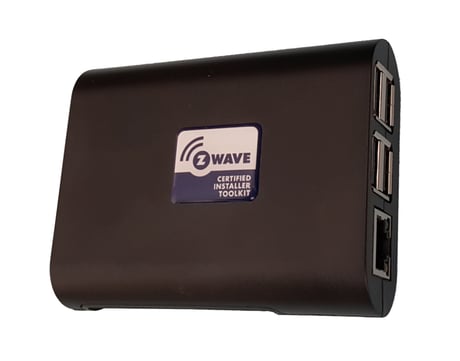
Product Picture
Place the network controller into inclusion mode by following the manufacturer's instructions, then in the CIT user interface, on the home page, click ""Join Network""
Place the network controller into exclusion mode by following the manufacturer's instructions, then in the CIT user interface, on the home page, click ""Leave Network""
Place the network controller into learn mode by following the manufacturer's instructions, then in the CIT user interface, on the home page, click ""Join Network""
If the CIT is the primary controller for a network (not recommended) following this procedure will result in nodes being orphaned (no controller). If the CIT is a part of a network, following this procedure will leave an invalid node in the list for the primary controller. Therefore, under these two conditions above, use this procedure only if the network primary controller is missing or is otherwise inoperable. In the CIT user interface, click the menu item Network, then Control, and then on the control page click ""Controller Factory Default"".
| Type | Value(s) |
|---|