Scout Alarm
Scout Hub 1S
SCHUB02
Central Controller
HW: 1 FW: 2.05:01.21
ZM5202
6.71.01
0x029A (666)
0x4882 (18562)
0x3032 (12338)
ZC10-17075684
2017-07-11 19:24:43.438934
N/A
Static Controller
Central Static Controller
The Scout Hub is the brains of a new breed of home security from Scout Alarm.
Meet Scout. A new breed of home security. Ridiculously easy setup. HASSLE-FREE No holes in your walls. No tools necessary. No need to miss work to let strangers into your home. Get the entire Scout system up and running yourself in minutes. Be aware. Anywhere. MOBILE ACCESS Control your entire Scout system from any mobile device. Get live updates when anything is out of the ordinary. Monitor any room, from anywhere. Designed for you. ONE SIZE DOESN'T FIT ALL Scout meets your home security needs in style. Rent a small studio? Your ideal Scout system secures your whole home with only a few sensors. With Scout, only buy what you need to feel safe. Protected and connected. NETWORK OF DEVICES Scout is a system of sensors that communicate with each other to provide complete protection, customized for your home.
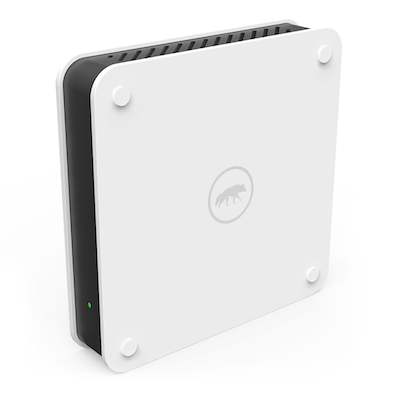
Product Picture
To have the Scout hub learn into an existing network, navigate to the hub icon under device tab, scroll down to the Z-Wave section and tap on the Learn button. To factory reset the Z- Wave network on the Scout hub, navigate to the hub icon under the device tab, scroll down to the Z-Wave section and tap on the Leave button.
The Scout hub can be reset to factory defaults by contacting customer support or following instructions for factory reset at scoutalarm.com/knowledge-base. If this controller is the primary controller for your network, resetting it will result in the nodes in your network being orphaned and it will be necessary after the reset to exclude and re-include all of the nodes in the network. If this controller is being used as a secondary controller in the network, use this procedure to reset this controller only in the event that the network primary controller is missing or otherwise inoperable. Toll-Free Within the United States: 1-844-AT-SCOUT (287-2688) Outside the United States: use the number above, carrier charges apply - please contact your telecom service provider for details The hours our customer support is available may be found at: support.scoutalarm.com
To include a Z-Wave device, remove the battery pull tab and follow along in the Scout app while the device pairs to the Scout hub and confirms inclusion of the device on-screen.
To exclude a device, first navigate to that device in the Scout application on the device tab and click into the device. Then, click the trash can icon to exclude the device from your Scout system. The system will confirm exclusion when the device has been removed from your list of devices on the devices tab. Z-Wave devices can then be returned to their factory default settings by following the instructions provided by the manufacturer, if the manufacturer is not Scout.
| Type | Value(s) |
|---|