Vision
4 in 1 Door Sensor
ZD2201JP-5
Notification Sensor
HW: 5 FW: 6.01:10.01
ZM5202
6.51.06
0x0109 (265)
0x201F (8223)
0x1F10 (7952)
ZC10-17075681
2017-06-23 21:06:52.882516
N/A
Enhanced 232 Slave
Reporting Sleeping Slave
Yes
4 in 1 Door Sensor with Luminance, Temperature and Humidity.
The Vision’s wireless 4 in 1 Multi-Sensor (door window contact sensor, humidity sensor, temperature sensor, and light sensor) of the home security device. This multi-sensor sends Z-Wave™ signal when door or window is opened and closed or humidity, temperature, luminous change. When the device is secure included into Z-Wave network, above communication will be encrypted.
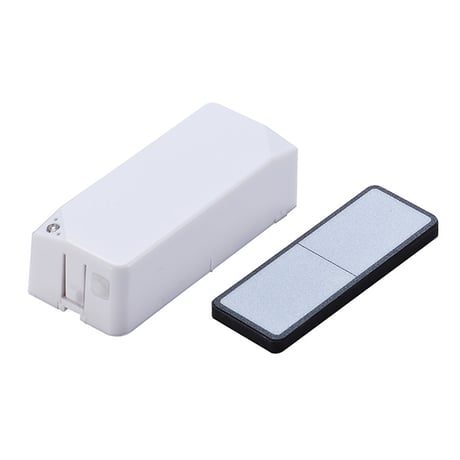
Product Picture


1 - Temperature Unit Selection
0x00 = °C 0x01 = °FSize: 1 byte
Default: 0
Minimum: 0
Maximum: 0
Possible values
| From | To | Desription |
|---|---|---|
| 0 | 1 | Choose °F |
2 - Auto Temperature Report Interval
1~50 (Set up from 0.1°C~5°C)Size: 1 byte
Default: 10
Minimum: 0
Maximum: 0
Possible values
| From | To | Desription |
|---|---|---|
| 1 | 50 | Auto Temperature Report Interval from 0.1°C~5°C |
3 - Auto Humidity Report Interval
1~50 (Set up from 1%~50%)Size: 1 byte
Default: 10
Minimum: 0
Maximum: 0
Possible values
| From | To | Desription |
|---|---|---|
| 1 | 50 | Auto Humidity Report Interval from 1%~50% |
4 - Auto Light Report Interval
0,5~50 (Set up from 0 for Off or 5%~50%)Size: 1 byte
Default: 10
Minimum: 0
Maximum: 0
Possible values
| From | To | Desription |
|---|---|---|
| 0 | 50 | Auto Light Report Interval from Off or 5%~50% |
For “Inclusion” in (adding to) a network: Put the Z-Wave™ Interface Controller into “inclusion” mode, and following its instruction to add the ZD2301 to your controller, to get in the “inclusion” mode. Press the program switch of ZD2301 for sending the NIF. After sending NIF, Z-Wave will send the auto inclusion; otherwise, ZD2301 will go to sleep after 20 seconds.
For “Exclusion” from (removing from) a network: Put the Z-Wave™ Interface Controller into “exclusion” mode, and following its instruction to delete the ZD2301 from your controller. Press the program switch of ZD2301 for 1 second at least to be excluded.
Use “Wake Up” command to set up the awaking time and send the wake up notification to controller. User can use command to change the auto wake up from 10 minutes to 1 week, Interval increment is 3 minutes.
Factory Default Reset: *Open the rear cover to send the Alarm Report and then press the program switch 10 times in 10 seconds, ZD2301 will send the “Device Reset Locally” command and reset to the factory default. * Please use this procedure only in the event that the network primary controller is missing or otherwise inoperable.
| Type | Value(s) |
|---|
| Group | Type |
|---|---|
| Access Control | (Refer to parameters): State idle |
| Sensor type |
|---|
| General Purpose |