au
BL 900HW
H03HG4
Central Controller
HW: 1 FW: 4.54:01.07
ZM5101
6.51.10
0x0337 (823)
0x0001 (1)
0x0002 (2)
ZC10-17075711
2017-07-28 17:42:13.359851
N/A
Static Controller
Central Static Controller
Gateway device for fixed network (FTTH) service provided by KDDI.
BL900HW is the service gateway device to provide the KDDI's FTTH service. So this can be used only in KDDI's network. This also has the following features ・Wireless router technology : IEEE 802.11a/b/g/n dual band. ・Number of USB Ports:USB2.0 × 1 port ・Number of Ether port : 1Gbps × 4port type RJ45 ・Dial-up port :1port type RJ11 When you use this device as the z-wave gateway, you have to subscribe the KDDI's FTTH service and plug the special dongle provided by KDDI to USB port.
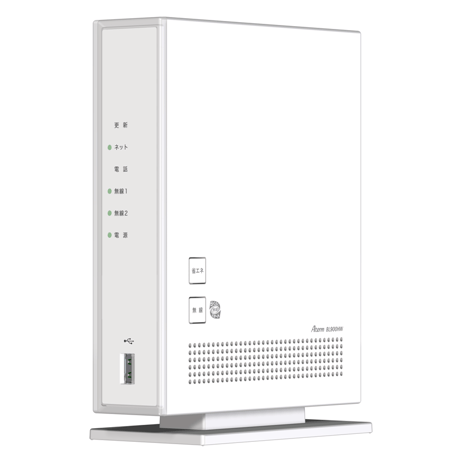
1.It is to pull out the power outlet on HOME Gateway, and wait for approximately 10 seconds. 2.It is to hold down the update button on back side ,and at the same time insert the power outlet. After approximately 20 seconds it blinks 3 times at the same time on Update lump ,Network lump, Telephone lump, Wireless 1 lump, Wireless 2 lump, and Power lump, release your hands from the update button. ※Don't power off on HOME Gateway until completed initialize, because it is the cause of breakdown. ""If this controller is the primary controller for your network, resetting it will result in the nodes in your network being orphaned and it will be necessary after the reset to exclude and re-include all of the nodes in the network. If this controller is being used as a secondary controller in the network, use this procedure to reset this controller only in the event that the network primary controller is missing or otherwise inoperable.""
It is to select the kinds of device by Smartphone application, and it induces to push down the program switch of device.
It is select the registered device by Smartphone application, and it induces to push down the program switch of device.
| Type | Value(s) |
|---|