iBlinds
Window Blind Controller
IB2.0
Window Covering - Endpoint Aware
HW: 255 FW: 1.65
ZM5202
6.61.00
0x0287 (647)
0x0003 (3)
0x000D (13)
ZC10-17075690
2017-07-10 21:25:12.712408
N/A
Enhanced 232 Slave
Listening Sleeping Slave
Yes
Retrofit blind motor to tilts Horizontal 2" and 2.5" slatted-style blinds.
An intelligent Z-Wave blind motor that installs out of sight in existing Horizontal (2" and 2 1/2" slatted-style) blind headrails. Use iBlinds to tilt the slats open, closed or use the value slider for precise positioning of the slat tilt angle.
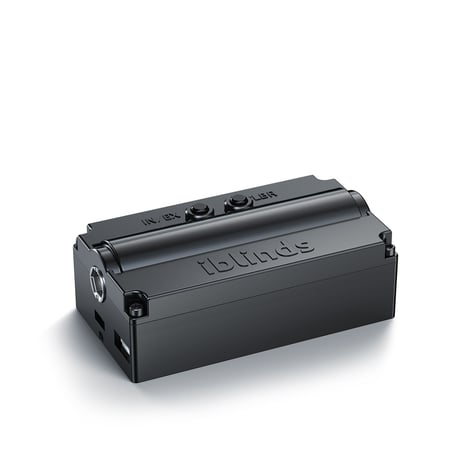
Product Picture
Follow the directions for your Z-Wave hub/controller to place it in the add for inclusion mode. Press the inclusion button once and wait for the device to be discovered and joined to the Z-Wave network. Follow the directions of your Z-Wave controller to uniquely identify your iblinds device. (Ex: Bedroom iblind) Note: If the device is not joined to the network. Press the CLBR button Wait 1 minutes and repeat steps 1 and 2 again. If you continue to have trouble joining the iblinds motor to the Z-Wave network follow the Z-Wave network Exclusion process below.
Follow the directions for your Z-Wave device to place it in the exclusion mode. Press the exclude button once and wait for the device to be removed from the Z-Wave network.
The Device Reset Locally function is used to reset the device to fatory defalut. The reset operation resets protocol data (HomeID, NodeID) as well as all application specific data to factory default values.vice Reset Locally NOTE: Please only use this function when the primary controller is missing or inoperable! 1. Press the INC / EXC button 3 Press the INC / EXC button 3 times within 5 seconds to enable the device reset function. 2. Wait 30 Seconds Press CLBR button After device is reset wait 30 seconds and press the CLBR button to reboot the device and make it ready for Z-Wave Inclusion.
| Type | Value(s) |
|---|