Wink
Wink Door/Window Sensor
Wink D/W Sensor
Notification Sensor
HW: 65 FW: 3.61
ZM5202
6.51.06
0x017F (383)
0x0100 (256)
0x0001 (1)
ZC10-17075685
2017-07-11 19:47:39.608788
N/A
Routing Slave
Reporting Sleeping Slave
Yes
Z-Wave Plus wireless magnetic door/window sensor.
The Wink Door/Window Sensor is a Z-Wave Plus battery-powered device that detects when a door, window, or cabinet is opened and closed in your home, helping you monitor activity around your home to keep your family safe. Works with exterior and interior doors, garage doors, patio doors, windows, cabinets, drawers, and other openings. When your sensor detects activity, your Wink Hub or other Z-Wave Plus certified hub can send an alert to your smartphone, set off an alarm or chime, or trigger an automation such as turning on your lights. The Wink Door/Window Sensor offers an extra-long z-wave wireless range of up to 150 feet, and requires a Wink Hub or other Z-Wave Plus certified hub for operation. The Wink Door/Window sensor comes with a CR14250 battery and has a three-year battery life, and will send an alert to your smartphone via the hub when the device has low battery. · Z-Wave Plus Certified · Requires a Z-Wave Plus Certified Hub to operate · Works with all Z-Wave Plus compatible networks · Up to 150 feet range · Three-Year Battery Life (CR14250 Battery included) · Low Battery Indication · Measurements in millimeters: 19 x 66.3 x 20.2 mm (sensor) and 10 x 39.55 x 10.5 mm (magnet)
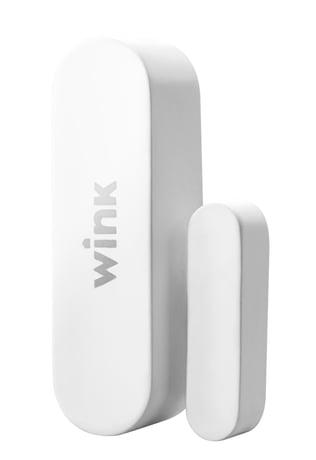
Product Picture


1 - BASIC_SET Off Delay
This parameter sets the delay time from when the Door/Window Sensor sends the BASIC_SET command to Association Group 2 and when the BASIC_SET(0) is sent. It accepts a value up to 65535, in seconds.Size: 2 bytes
Default: 30
Minimum: 0
Maximum: 0
Possible values
| From | To | Desription |
|---|---|---|
| 1 | 65535 | in seconds |
2 - BASIC_SET Level
This parameter sets the value sent by the BASIC_SET command to Association Group 2 (for more information, see “Association Groups”.)Size: 1 byte
Default: 99
Minimum: 0
Maximum: 0
Possible values
| From | To | Desription |
|---|---|---|
| 0 | 0 | Off/Cancel Alarm/Etc. |
| 1 | 99 | Dim Level (for Multilevel Switch) |
| 255 | 255 | On (for Binary Switch) |
Follow the instructions for your Z-Wave certified Controller to enter inclusion mode. When prompted by the Controller: 1. For proper inclusion, bring the Door/Window Sensor within range of your Controller. 2. Pull the battery tab on the backside of the sensor to power on, or remove then re-install the batteries. The LED light should blink.
Follow the instructions for your Z-Wave certified Controller to enter exclusion mode. When prompted by the Controller: 1. Press the sensor cover release button to remove the top cover, and be sure the sensor is powered on. 2. Press the Connect Button next to the battery quickly 3 times in a row. The LED indicator will flash five times indicating exclusion/disconnection
Because the Door/Window Sensor is a battery powered device, it wakes up on regular intervals to give battery and other status updates to the controller, as well as to accept configuration settings from the controller (as opposed to always remaining online and draining its battery.) The device can be forced to wake up (to submit these reports or accept new settings immediately) by simply pressing and holding the BUTTON for two seconds.
If needed, the Door/Window Sensor can be reset locally by following these steps. Only do this when your Z-Wave controller is disconnected or otherwise unreachable. Beware that resetting your device will disconnect it from the system: 1. Remove the SENSOR COVER and confirm that your Door/Window Sensor is powered up. 2. Press and hold the BUTTON for at least 10 seconds then release. A flashing light indicates a successful factory reset. 3. The Door/Window Sensor’s memory will be erased to factory settings.
| Type | Value(s) |
|---|
| Group | Type |
|---|---|
| Access Control | (Refer to parameters): State idle |
| Sensor type |
|---|
| General Purpose |