MYHOMEBOX
MYHOMEBOX
1.1.264015
Central Controller
HW: 1 FW: 4.33:01.01
ZM5304
6.61.00
0x0304 (772)
0x0001 (1)
0x0001 (1)
ZC10-17115884
2017-11-28 17:20:03.09033
N/A
Static Controller
Central Static Controller
MYHOMEBOX is the hub that brings together all your devices, old and new in one user-friendly interface. Seeking the limits of home automation with Android and iOS app with a secure cloud.
MYHOMEBOX is the hub that brings together all your devices, old and new. By connecting new wireless communication protocols such as Z-Wave and older ones like 433 MHz and 868 MHz, you are free to pick any device and brand of your choice. All devices controlled by one app makes a smart home accessible and affordable for anyone. Works with: Z-Wave, Bluetooth, DECT ULE, Wifi, 433 MHz, 868 MHz. - Compatible with hundreds of products - Secure cloud - Local app - Easy to set up - Expandable for future communication developments by USB port
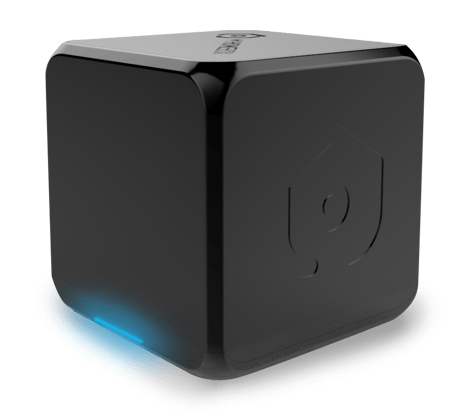
Product Picture
Open the MYHOMEBOX app and go to Add Devices. In this page you see the Z-Wave controller. Open this page and select Learn (this is only possible when there are no other devices already connected to the MYHOMEBOX. If there are already other devices connected reset the controller first.
If this controller is the primary controller for your network, resetting it will result in the nodes in your network being orphaned and it will be necessary after the reset to exclude and re-include all of the nodes in the network. If this controller is being used as a secondary controller in the network, use this procedure to reset this controller only in the event that the network primary controller is missing or otherwise inoperable.
Open the MYHOMEBOX app and go to Add Devices. In this page you see the Z-Wave controller. Open this page and select Learn (this is only possible when there are no other devices already connected to the MYHOMEBOX. If there are already other devices connected reset the controller first.
To remove the MYHOMEBOX from another network you can select the Learn button in the Add Devices Page: Open the MYHOMEBOX app and go to Add Devices. In this page you see the Z-Wave controller. Open this page and select Learn. At the same time select Exclusion on your other network. MYHOMEBOX wil be excluded from that network.
| Type | Value(s) |
|---|