QUBINO
Flush RGBW Dimmer Switch Color R.G.B.W
Flush RGBW Dimmer / ZMNHWD3
Light Dimmer Switch
HW: 255 FW: 2.07
ZM5101
6.51.07
0x0159 (345)
0x0001 (1)
0x0054 (84)
ZC10-17085753
2017-08-21 19:28:38.980602
N/A
Enhanced 232 Slave
Always On Slave
Qubino Flush RGBW Dimmer module is used to control RGB/RGBW strips and LED strips or bulbs to create countless colour options and has six special scene effects.
Qubino Flush RGBW module is used to control RGB/RGBW strips and LED strips or bulbs to create countless colour options and has 5 special scene effects. It can also control halogen lights and fans. Its extremely small size allows for easy installation behind wall sockets and switches. Controlled devices may be powered by 12 or 24 VDC. All IN and OUT terminals may be user configured for LED control or 100 kΩ signal readouts.
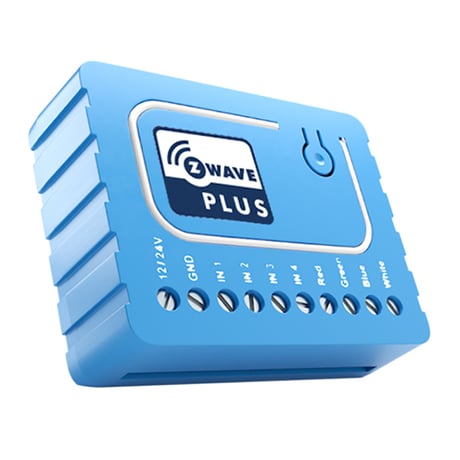
Product Picture


1 - Input Switch type
Available config. parmeters(data type is 1 Byte DEC): * default value 1 * 1- bi- stable switch type * 2- mono stable(push button) switch type Note: Please power cycle the device when parameter is changed.Size: 1 byte
Default: 1
Minimum: 0
Maximum: 0
Possible values
| From | To | Desription |
|---|---|---|
| 1 | 2 | Input Switch type |
2 - Switch mode
Available config. parmeters(data type is 1 Byte DEC): * default value 1 * 1-Normal mode * 2-Brightness mode * 3-Rainbow mode Note: Using this parameter,it is possible to select various modes of RGBW Dimmer operation.Size: 1 byte
Default: 1
Minimum: 0
Maximum: 0
Possible values
| From | To | Desription |
|---|---|---|
| 1 | 3 | Switch mode |
3 - Auto Scene mode set
Available config. parmeters(data type is 1 Byte DEC): * default value- * 1-Ocean * 2-Lightning * 3-Rainbow * 4-Snow * 5-Sun Note: Activation of the programmed scene changing color shades. Note: Using this parameter,it is possible to select various modes of RGBW Dimmer operation.Size: 1 byte
Default: 0
Minimum: 0
Maximum: 0
Possible values
| From | To | Desription |
|---|---|---|
| 1 | 5 | Auto Scene mode set |
4 - Auto scene duation
Available config. parmeters(data type is 1 Byte DEC): * default value 3 * 1 -127 * 128 - 255 delay duration is from 1 min. to 127min Note: Using this parameter, it is possible to change Auto scene mode durationSize: 1 byte
Default: 3
Minimum: 0
Maximum: 0
Possible values
| From | To | Desription |
|---|---|---|
| 1 | 127 | delay duration is from 1s to 127s |
| 128 | 255 | delay duration is from 1 min. to 127 min. |
1. Connect the module to the power supply 2. Enable inclusion mode on your Z-Wave controller 3. Press and release the S (Service) button 3 times within 2 seconds
1. Connect the module to the power supply 2. Make sure the module is within direct range of your Z-Wave controller or use a hand-held Z-Wave remote to perform exclusion 3. Press and release the S (Service) button 3 times within 2 seconds NOTE: The module will be excluded from your network, but any custom configuration parameters will not be erased.
FACTORY RESET 1. Connect the module to the power supply 2. Press and hold the S (Service) button for at least 10 seconds NOTE: By resetting the module, all custom parameters previously set on the module will return to their default values, and owner ID will be deleted. Use this reset procedure only when the main controller is missing or otherwise inoperable.
| Type | Value(s) |
|---|