Remotec
Dimming Switch Module (Dual Mode)
ZDS-210NA
Light Dimmer Switch
HW: 1 FW: 0.32
ZM5202
6.71.01
0x5254 (21076)
0x8200 (33280)
0x8131 (33073)
ZC10-17085755
2017-08-28 16:54:41.136999
N/A
Enhanced 232 Slave
Always On Slave
The ZDS-210 is a Z-Wave enabled device and allows remote Dimming or ON/OFF control of specified lamps.
ZDS-210 enabled product allows users to remotely control lighting, home appliance, and make home control easy with low installation and maintenance costs. You may begin with a few Z-Wave enabled devices as well as some of our products to build up a complete home automation system. The ZDS-210 is a Z-Wave enabled device and is fully compatible with any Z-Wave Plus enabled network. It can be configured as either a “DIMMER” or a “SWITCH” device. It allows remote Dimming or ON/OFF control of specified lamps. Each module is designed to act as a repeater, which will re-transmit a radio frequency (RF) signal by routing the signal around obstacles and radio dead spots to ensure that the signal is received at its intended destination. ZDS-210 is a security enabled Z-Wave plus device. A security Enabled Z-Wave Plus Controller must be used in order to fully utilize the product.
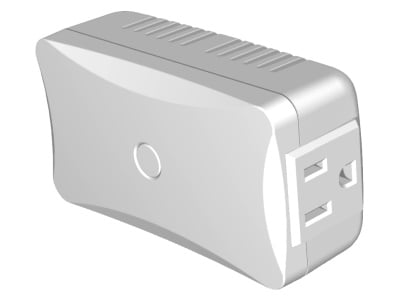
Product Picture


5 - Switch returns to the last position saved before power failure
0 (0x00) - Switch does not save the state after power failure, device returns to "off" position 1 (0x01) - Switch saves its state before power failureSize: 1 byte
Default: 1
Minimum: 0
Maximum: 0
Possible values
| From | To | Desription |
|---|---|---|
| 0 | 0 | Not Save |
| 1 | 1 | Save |
13 - Double Click Option
Double Click Option (Set to max. brightness) 0 (0x00) - Double click function disabled 1 (0x01) - Double click function enabledSize: 1 byte
Default: 1
Minimum: 0
Maximum: 0
Possible values
| From | To | Desription |
|---|---|---|
| 0 | 0 | Disable |
| 1 | 1 | Enable |
17 - Time to move the Dimmer from 0% to max. dimming values
Time to move the Dimmer from 0% to max. dimming values. (The ZDS-210 will implement the dimming duration if received this parameter value from controller/gateway. Otherwise, the ZDS-210 will implement the local parameter value)Size: 1 byte
Default: 3
Minimum: 0
Maximum: 0
Possible values
| From | To | Desription |
|---|---|---|
| 0 | 5 | Seconds |
18 - Maximum Dimmer level control
Maximum Dimmer level control 2 (0x02) to 99 (0x63) %Size: 1 byte
Default: 99
Minimum: 0
Maximum: 0
Possible values
| From | To | Desription |
|---|---|---|
| 2 | 99 | Dimmer Level |
19 - Minimum Dimmer Level Control
Minimum Dimmer level control 1 (0x01) to 98 (0x62) % [Below are the recommended parameters for different loads. AC Motors: Parameter no. 18 max. = 99% Parameter no. 19 min. >= 60% Fluorescent Lamps, Fluorescent Tubes, Non-dimmable LEDs: Parameter no. 18 max. = 99% Parameter no. 19 min. = 98% Notes: 1) The maximum level must not be lower than the minimum level. 2) Parameter no. 17 MUST be set to 0]Size: 1 byte
Default: 13
Minimum: 0
Maximum: 0
Possible values
| From | To | Desription |
|---|---|---|
| 1 | 98 | Dimmer Level |
Include or exclude the ZDS-210 from the existing Z-Wave home control network with your primary controller. - Refer to your primary controller instructions to process the inclusion / exclusion setup procedure. - When prompted by your primary controller, triple click the PROG button within 1 second. (The unit will enter classical inclusion/exclusion first, then jump to NWI, and after 20 seconds, it will finally exit NWI mode automatically if there is no inclusion/exclusion request.) - The primary controller should indicate that the action was successful. If the controller indicates the action was unsuccessful, please repeat the procedure.
Include or exclude the ZDS-210 from the existing Z-Wave home control network with your primary controller. - Refer to your primary controller instructions to process the inclusion / exclusion setup procedure. - When prompted by your primary controller, triple click the PROG button within 1 second. (The unit will enter classical inclusion/exclusion first, then jump to NWI, and after 20 seconds, it will finally exit NWI mode automatically if there is no inclusion/exclusion request.) - The primary controller should indicate that the action was successful. If the controller indicates the action was unsuccessful, please repeat the procedure.
Step 1: Press and keep holding the PROG button for no less than 10 seconds. • LED state will toggle for first 5 seconds of being pressed. • LED state will toggle again after the remaining 5 seconds. Step 2: Release the PROG button then triple click the PROG button within 2 seconds of step 1. • LED will stay in previous ON or OFF stage. Remark : Please use this procedure only when the network primary controller is missing or otherwise inoperable.
| Type | Value(s) |
|---|