siterwell
Heat Alarm
GS412B
Notification Sensor
HW: 255 FW: 1.01:01.01
ZM5202
6.71.01
0x0266 (614)
0x0007 (7)
0x0001 (1)
ZC10-17095782
2017-09-22 16:01:54.674599
N/A
Routing Slave
Reporting Sleeping Slave
Yes
Heat alarm is an alarm device
Heat alarm is an alarm device that can give off warning under the condition that the environmental temperature between 54℃-70℃—the abnormal temperature may caused by an actual fire, in order to alert the dwelling of the dangerous situation and notice them to evacuate right away. At the same time in this alarm state if the alarms have been matched Smart home or other Z-Wave system, they will send a warning message to the main controller in this network group. The heat alarm can be included and operated in any Z-Wave network with other Z-Wave certified devices from other manufacturers under the same radio frequency. It is the point that only under same radio frequency the heat alarm can be included and operated. All non-battery operated alarms within the network will act as repeaters, as to increase reliability of the network. In the Z-Wave network communication, the heat alarm can communicate with other devices associated. Through the Z-Wave network controller, you can get the status of the alarm, such as battery level.
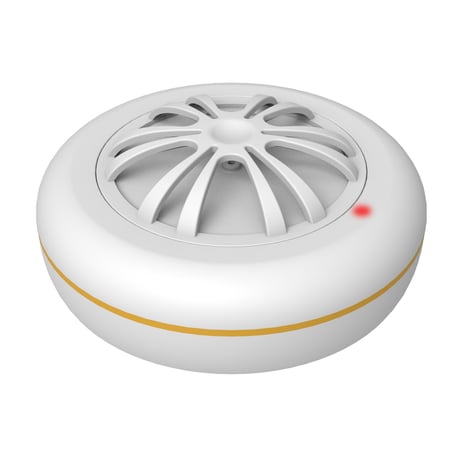
Product Picture
The heat alarm can be included to the Z-Wave network by following operations: 1. Make sure the battery is installed well before operating the product. 2. Make sure the alarm is on its final installation position, and then set a main controller into the add (inclusion ) mode. 3. Quickly press the test button three times within two seconds, the red LED will light up. 4. If the red LED flashes for about two seconds, it indicates that the alarm have been added (included) successfully, otherwise repeat the operation accordingly.
1. Make sure the battery is installed well before operating the product. 2. Set the main controller into the remove (exclusion ) mode. 3. Quickly press the test button three times within two seconds, the red LED will light up. 4. Wait for the main controller to remove(exclusion) the alarm. If the remove(exclusion) is successful, the red LED flashes for about two seconds, and then exit the remove mode automatically. Note: a. If the alarm is removed(excluded), the alarm will be restored to factory default settings. b.When the alarm is in “Add” or “Remove” mode, you can press the test button to exit and return to operating mode.
This operation will delete all information on Z-Wave network, and restore the factory default setting. 1. Remove the battery. 2. Press the button and don't release. And then connect the battery, the red light will on 3 seconds,3 seconds later, then release the button when the red light is off. 3. The red light is on for 3 seconds when the button is released. During these 3 seconds, press the button. Only after hearing a beep, restore factory settings successfully. Note: a. Please use this procedure only when the network main controller is missing or inoperable.
| Type | Value(s) |
|---|
| Group | Type |
|---|---|
| Heat Alarm | (Refer to parameters): State idle |