Philio
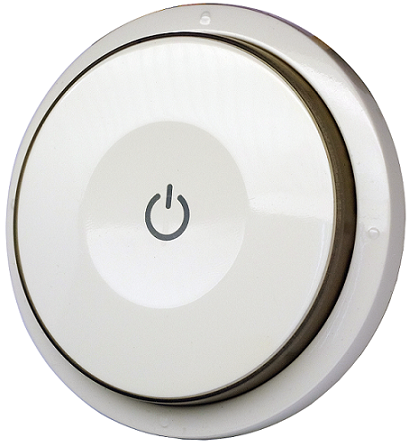
Smart Color Button
PSR04
Wall Controller
HW: 1 FW: 1.09:01.06
SD3502
6.51.09
0x013C (316)
0x0009 (9)
0x0022 (34)
ZC10-17105808
2017-10-18 15:38:53.438877
N/A
Enhanced 232 Slave
Portable Slave
This device is a multiple functions button switch. It is able to switch the appliances on/off or adjust the percentage of dimmer. It can also work as a timer.
This device is a multiple functions button switch. It is able to switch the appliances on/off or adjust the percentage of dimmer. It can also work as a timer. The well designed wall bracket and magnetic back let the switch can be fixed on the wall. This product can be included and operated in any Z-Wave™ network with other Z-Wave™ certified devices from other manufacturers and/or other applications.


1 - Basic Set OFF level
Control the value represented by the left-side in area D. E.g. Setting this configuration to 0x0F means range of Command Basic Set value start from 0x0FSize: 1 byte
Default: 0
Minimum: 0
Maximum: 0
Possible values
| From | To | Desription |
|---|---|---|
| 0 | 99 | Control the value represented by the left-side in area D. |
2 - Basic Set ON level
Control the value represented by the right-side in area D. E.g. Setting this configuration to 0x1E means range of Command Basic Set value start from 0x1ESize: 1 byte
Default: 99
Minimum: 0
Maximum: 0
Possible values
| From | To | Desription |
|---|---|---|
| 0 | 99 | Control the value represented by the right-side in area D. |
10 - Auto Report Battery Time
The interval time for auto reporting the Battery level. 0 means turn off auto report battery. The default value is 12.Size: 1 byte
Default: 12
Minimum: 0
Maximum: 0
Possible values
| From | To | Desription |
|---|---|---|
| 0 | 127 | The interval time for auto report the battery level. |
25 - Customer Function
Bit 0: Dimmer setting method. 0 : Auto send Command Basic Set after rotating. 1 : Send Command Basic Set by touching key after rotating Bit 1: Disable buzzer in timer mode. 0: Enable. 1: DisableSize: 1 byte
Default: 0
Minimum: 0
Maximum: 0
Possible values
| From | To | Desription |
|---|---|---|
| 1 | 1 | Dimmer setting method. 0 : Auto send Command Basic Set after rotating. 1 : Send Command Basic Set by touching key after rotating |
| 2 | 2 | Disable buzzer in timer mode. 0: Enable. 1: Disable. |
26 - Disable Scene Holding report
Send Central Scene Holding when the button is held. 0x00: Enable. 0x01: Disable.Size: 1 byte
Default: 0
Minimum: 0
Maximum: 0
Possible values
| From | To | Desription |
|---|---|---|
| 1 | 1 | Send Central Scene Holding when the button is held. 0x00: Enable. 0x01: Disable. |
| 0 | 0 |
1. Have Z-Wave™ Controller entered inclusion mode. 2. Rotate to area A and then press button three times within 1.5 seconds to enter the inclusion mode. 3. After add successful, the device will wake to receive the setting command from Z-Wave™ Controller about 20 seconds.
1. Have Z-Wave™ Controller entered exclusion mode. 2. Rotate to area A and then press button three times within 1.5 seconds to enter the exclusion mode. Node ID has been removed.
After the device adding to the network, it will wake-up once per day in default. When it wake-up it will broadcast the “Wake Up Notification” message to the network, and wake-up 20 seconds for receive the setting commands. The wake-up interval minimum setting is 30 minutes, and maximum setting is 120 hours. And the interval step is 30 minutes. If the user wants to wake-up the device immediately, please rotate to area A and then press the button once. The device will wake-up 10 seconds.
Notice: Use this procedure only in the event that the primary controller is lost or otherwise inoperable. 1. Rotate to area A and then press button four times within 1.5 seconds and do not release the button in the 4 th pressed, and the red LED will light ON. 2. After the red LED goes out, release the button within 2 seconds. 3. IDs are removed and all settings will reset to factory default.