siterwell
Smoke Alarm Sensor
GS559B
Notification Sensor
HW: 255 FW: 1.01:01.01
ZM5202
6.71.00
0x0266 (614)
0x0005 (5)
0x0001 (1)
ZC10-17095785
2017-09-27 04:20:36.788011
N/A
Routing Slave
Reporting Sleeping Slave
Yes
The unit is a photoelectric 3V DC smoke and heat alarm.
The unit is a photoelectric 3V DC smoke and heat alarm. It is operated by 3v AA Alkaline battery. With the photoelectric technology, it is more sensitive in detecting slow smoldering fires which generate light smoke. little heat and may smolder for hours before bursting into flames. This smoke alarm does not contain any radioactive material. The smoke alarm is an intelligent security equipment that can be controlled by the Z-Wave network which has particular frequency. Different countries or areas, the radio frequency of the Z-Wave is different. This product can be included and operated in any Z-Wave network with other Z-Wave certified devices from other manufacturers and/or other applications. All non-battery operated nodes within the network will act as repeaters regardless of vendor to increase reliability of the network. In the Z-Wave network communications, the smoke alarm can communicate with other devices associated. When the smoke is detected, the sensor will send messages to the main controller, and then the alarm sound. Through the Z-Wave network, the devices associated can response after smoke is detected, For instance , Start fire extinguishing equipment and trigger an alarm, Through the Z-Wave network controller, You will be notified in case of fire.
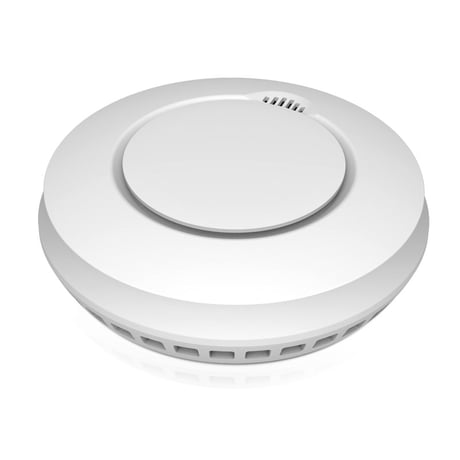
Product Picture
Add(Including) alarm to Z-Wave Network 1:Make sure the battery is installed well before operating the product. 2:Make sure the alarm is on its final install location, then set the controller into the Add(Inclusion )mode. 3:Quickly, triple click the test button, The LED will light up. 4:Issued beep, LED off, the alarm being Add (included)to the network successfully.
1: Make sure the battery is installed well before operating the product. 2: Set the Z-Wave Network controller into Remove(exclusion) mode. 3:Quickly, triple click the test button, The LED will light up and alarm enter Remove(Excluding) Mode. 4:Wait for the main controller to Remove(exclusion) the alarm. Note: If the alarm is Remove(excluded), then the sensor will be itselfrestored to factory default settings.
Reset will delete all information on the Z-Wave network controller, and restore the alarm to factory default settings. 1: Press and hold the test button , Installing the battery, red LED light, until the LED is off, release the button, LED light up again, press the button again, When hearing a beep, restore factory settings successfully. Note: If this sensor is reset, the information of Z-Wave network in the sensor will be deleted. The sensor will be itself restored to factory default settings. Please use this procedure only when the network primary controller is missing or otherwise inoperable.
| Type | Value(s) |
|---|
| Group | Type |
|---|---|
| CO Alarm | (Refer to parameters): State idle |