August Home
August Smart Lock Rev 3
ASL-03
Door Lock - Keypad
HW: 255 FW: 1.59
ZM5202
6.71.01
0x033F (831)
0x0001 (1)
0x0001 (1)
ZC10-17105793
2017-10-05 17:30:41.837709
N/A
Routing Slave
Listening Sleeping Slave
Yes
Control and monitor your door from anywhere the August Smart Lock Pro. Lock and unlock your door and always know who's coming and going– all from your phone.
Give your customer total control over their front door, from anywhere. The August Smart Lock Pro is the leading Z-Wave Plus retrofit smart lock. You can lock and unlock your door, create virtual keys for guests, and keep track of who comes and goes with a 24/7 activity log, all from your iOS or Android smartphone. The August Smart Lock Pro features Z-Wave Plus and BLE and it is the only lock to support the three leading voice-assistants, Siri, Google Assistant, and Amazon Alexa. The lock quickly installs on the inside of your door with just a screwdriver. Keep your exterior door hardware exactly as it is and use your traditional key any time.
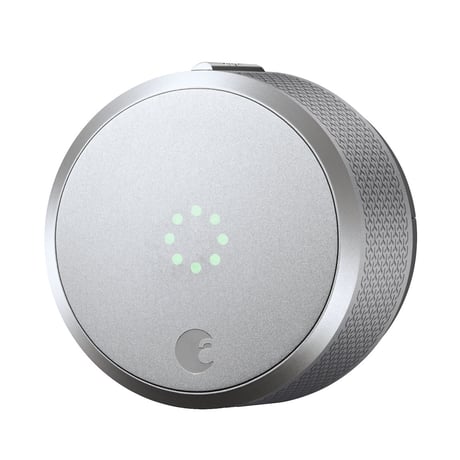
Product Picture
In order to include the August Smart Lock on to a Z-Wave network the user will have to do the following: 1. Open the August app 2. Go to the Lock Settings screen 3. Select Z-Wave Settings 4. Select Add To A Z-Wave Network 5. Put the controller into inclusion mode and select My Hub is in Inclusion Mode on the August app
In order to exclude the August Smart Lock from a Z-Wave network the user will have to do the following: 1. Open the August app 2. Go to the Lock Settings screen 3. Select Z-Wave Settings 4. Select Remove Z-Wave Device 5. Put the controller into exclusion mode and select My Hub is in Exlusion Mode on the August app
Any operation (manual, RF, etc.) will wake up the lock.
In order to reset the August Smart Lock the user will have to do the following: 1. Open the August app 2. Go to the Lock Settings screen 3. Select Z-Wave Settings 4. Select Remove Z-Wave device 5. Select My Hub Is No Longer Working 6. Caution: Resetting a Z-Wave device without telling the hub can cause performance issues. Use this procedure only when the Z-Wave hub is missing or otherwise inoperable. 7. Select Reset Z-Wave Device 8. On the Reset Z-Wave Device? prompt select Reset
| Type | Value(s) |
|---|
| Group | Type |
|---|---|
| Access Control | (Refer to parameters): State idle |