Saykey
Door/Window Detect Sensor
SK-3003-06
Notification Sensor
HW: 33 FW: 1.01
ZM5202
6.51.09
0x032C (812)
0x3003 (12291)
0x0006 (6)
ZC10-17115872
2017-11-21 03:55:08.674177
N/A
Enhanced 232 Slave
Reporting Sleeping Slave
Yes
This product is a separate trigger detector equips with magnet and magnetic sensor and wireless transmit functionality.
This product is a separate trigger detector equips with magnet and magnetic sensor and wireless transmit functionality. When the magnet and the magnetic sensor is separated, the product issue wireless alarm signal to the associated gateway. It is suitable for a variety of installation environment requirements, with doors and windows open, close the real‐time detection and cover tamper, battery level status report function.
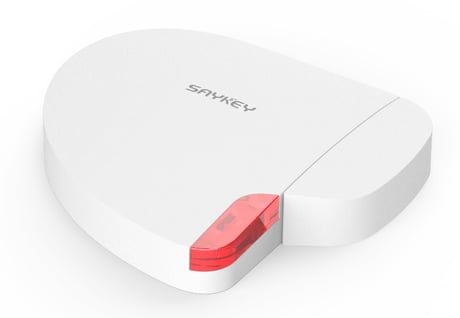
Product Picture
1) Remove the battery plastic separator or make sure battery level is normally, and Make sure the product is located within direct range of the Z‐Wave controller. 2) Set the main controller into the inclusion/Add device mode (refer to main controller’s operating manual). 3) Click the Add/Remove button on the bottom side of product triple times in 1.5 seconds. 4) The product will be detected and included in the Z‐Wave network.
1) Make sure battery level is normally and the product is located within direct range of the Z‐Wave controller. 2) Set the main controller into the exclusion/Remove device mode (refer to main controller’s operating manual). 3) Click the Add/Remove button on the bottom side of product triple times in 1.5 seconds. 4) The product will be detected and excluded from the Z‐Wave network.
The product is in battery power, you can set up the wake up time based in seconds. At each wake up, the product communicates with the master controller to updates parameters settings if necessary, e.g. receive the association group setting. The product will wake up at defined time interval and will ALWAYS try to communicate with the master controller. Longer time interval means less frequent communication and thus a longer battery life. The product default wakeup interval is 86400 seconds. User can operate inclusion/exclusion process in order to trigger product wakeup manually, it will keeps 30 seconds in wakeup state without initial wakeup parameter setting and keeps 10 seconds in wakeup after initial wakeup parameter.
The factory default settings are restored when the device is removed from the network. Please use this procedure only when the network primary controller is missing or otherwise inoperable.
The Notification Reports cannot be deactivated. Application Rejected Request with status 0x00 occurs when the controller tries to deactivate/turn off the Notification Type in order to not trigger the specific Notification Report again.
| Type | Value(s) |
|---|
| Group | Type |
|---|---|
| Access Control | (Refer to parameters): State idle |
| Home Security | (Refer to parameters): State idle |