Inovelli
In-wall Smart Switch
NZW30T
On/Off Power Switch
HW: 1 FW: 20.16
ZM5202
6.51.07
0x0312 (786)
0x0112 (274)
0x251C (9500)
ZC10-17115843
2017-11-09 19:08:38.931433
N/A
Routing Slave
Always On Slave
In-Wall On/Off Switch (Toggle Button) that does not require an auxiliary switch for 3-Way solutions and is Z-Wave Plus.
Inovelli's Indoor In-Wall Smart Switch (On/Off) has the ability to turn on and off lights from anywhere in the world. In addition the switch acts as a Z-Wave signal repeater, which amplifies your Z-Wave signal, growing the capabilities of your network. Simplifying lives, one smart home product at a time... that's Inovelli.
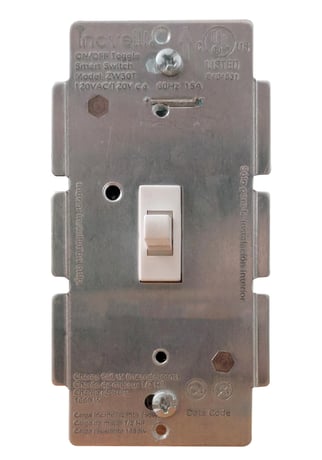
Product Picture


3 - LED Setting
Invert/Disable Blue LEDSize: 1 byte
Default: 0
Minimum: 0
Maximum: 0
Possible values
| From | To | Desription |
|---|---|---|
| 0 | 0 | Default (Switch On/LED On) |
| 1 | 1 | Switch On/LED Off |
| 2 | 2 | Disable LED |
4 - Invert Switch
This will invert the switch so that pressing down will turn on the switch and up will turn off the switchSize: 1 byte
Default: 0
Minimum: 0
Maximum: 0
Possible values
| From | To | Desription |
|---|---|---|
| 0 | 0 | Default (Up = On / Down = Off) |
| 1 | 1 | Up = Off / Down = On |
Primary inclusion method is via, ""Auto-Inclusion"". Start the inclusion process on your HUB/Gateway and then flip your circuit breaker back on so power is restored to your switch. You will have 30 seconds before the device times out. The backup method is toggling the switch UP 6 times within 2 seconds.
Toggle Up 6 times within 2 seconds.
Please use your controller to remove the device from the network. To factory reset, hold up the toggle button (A) for five (5) seconds when powered on. However, please only use this method if your controller is missing or inoperable.
| Type | Value(s) |
|---|