Beanbag
Beanbag Gateway
BBK001-Z00
Gateway
HW: 10 FW: 4.60:03.00
ZM5202
6.71.00
0x0059 (89)
0x0015 (21)
0x0001 (1)
ZC10-18015935
2017-12-01 22:09:18.466632
N/A
Static Controller
Central Static Controller
Aesthetic design, combined with WiFi and Z Wave communication protocols, the gateway provides the central hub of the Beanbag home automation system.
The Beanbag gateway is an aesthetically designed component of the system designed to provide an interesting focal point or feature within a property. Its wooden veneer finish illustrates a high quality product! The receiver is mains powered 230V AC 50Hz only, which is connected using a micro USB connector. Communications protocols provided include WiFi and Z Wave. Network standard is IEEE 802.11 b/g/n. Thermostat fail-safe is covered with the provision of a backup temperature sensor. The gateway is designed to be unmounted and free standing to provide installation flexibility within a property. Enclosure protection is to IP30 with an operating temperature range of 0⁰C to 40⁰C.
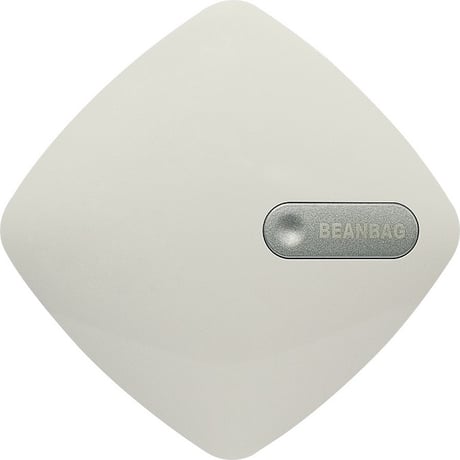
Product Picture
To put Gateway into Learn mode select either the “Learn Mode Classic” or the “Learn Mode NWI” option under the “Network Management” option on the APP.
For gateway factory reset select the “Reset” option on the APP under “Network Management” menu. Note: If this controller is the primary controller for your network, resetting it will result in the nodes in your network being orphaned and it will be necessary after the reset to exclude and re-include all of the nodes in the network. If this controller is being used as a secondary controller in the network, use this procedure to reset this controller only in the event that the network primary controller is missing or otherwise inoperable.
To add (include) the Gateway into another controller’s network, user has to start the Add (Include) Node operation on the other controller, and then select either the “Learn Mode Classic” or the “Learn Mode NWI” option under the “Network Management” option on the APP.
To remove (Exclude) the Gateway into another controller’s network, user has to start the Remove (Exclude) Node operation on the other controller, and then select either the “Learn Mode Classic” or the “Learn Mode NWI” option under the “Network Management” option on the APP.
| Type | Value(s) |
|---|