Zipato
Zipato Bulb 2
rgbw2.eu
Light Dimmer Switch
HW: 255 FW: 2.26
ZM5101
6.51.09
0x0131 (305)
0x0003 (3)
0x0006 (6)
ZC10-17115890
2017-11-29 19:20:13.233415
N/A
Enhanced 232 Slave
Always On Slave
Dimmable light bulb with cold white, warm white and RGB dimmable leds.
Zipato Bulb 2 with dimmer makes home lighting more fun and comfortable. It has separate warm white, cold white and color LEDs. This allows you to create both colorful light environments and regular white lighting.
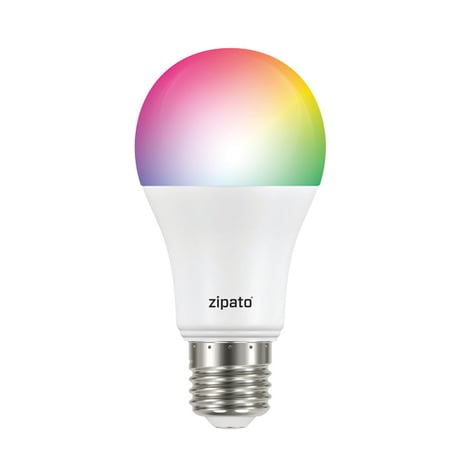
Product Picture


2 - Strobe interval
Strobe interval, in units of 10 millisecondsSize: 1 byte
Default: 0
Minimum: 0
Maximum: 0
Possible values
| From | To | Desription |
|---|---|---|
| 0 | 25 | Strobe interval |
3 - Strobe pulse count
Number of strobe pulses. Setting this parameter to value 127 makes the bulbe strobe indefinitelySize: 1 byte
Default: 0
Minimum: 0
Maximum: 0
Possible values
| From | To | Desription |
|---|---|---|
| 0 | 25 | pulse count |
| 127 | 127 | strobe indefinitely |
4 - Randomize strobe pulse color
Randomize strobe pulse color.Size: 1 byte
Default: 0
Minimum: 0
Maximum: 0
Possible values
| From | To | Desription |
|---|---|---|
| 0 | 0 | Disabled |
| 1 | 1 | Enabled |
1. Screw the RGBW bulb into a standard E27 socket. 2. Turn on the bulb with your wall switch to apply power to the bulb. a) If you’re not using a wall switch, then use your alternate method to apply power to the bulb. 3. Activate the “included/excluded” mode on your Z-Wave controller or gateway. a) This may also be done through your associated app, if your ecosystem has that capability. 4. Toggle the wall-switch, from OFF, then to ON. a) Or use your alternate method to toggle power from OFF, then to ON. 5. The LED bulb will flash once if it has been successfully “included/ excluded” into your Z-Wave network.
1. Screw the RGBW bulb into a standard E27 socket. 2. Turn on the bulb with your wall switch to apply power to the bulb. a) If you’re not using a wall switch, then use your alternate method to apply power to the bulb. 3. Activate the “included/excluded” mode on your Z-Wave controller or gateway. a) This may also be done through your associated app, if your ecosystem has that capability. 4. Toggle the wall-switch, from OFF, then to ON. a) Or use your alternate method to toggle power from OFF, then to ON. 5. The LED bulb will flash once if it has been successfully “included/ excluded” into your Z-Wave network.
Physically switch the bulb on and off six (6) times for intervals of 0.5-2 seconds. After the 6th time, the bulb will flash twice indicating that it’s successfully reset.A factory default is performed when the bulb is excluded from the Z-Wave network. Please use this procedure only when the network primary controller is missing or otherwise inoperable.
| Type | Value(s) |
|---|