Zipato
Door sensor
ne-nas-ds01z.us
Notification Sensor
HW: 65 FW: 3.61
ZM5202
6.51.06
0x0131 (305)
0x0003 (3)
0x0082 (130)
ZC10-18015915
2017-12-15 21:51:51.70878
N/A
Routing Slave
Reporting Sleeping Slave
Yes
Door/Window sensor that can be mounted to any door window or other opening object.
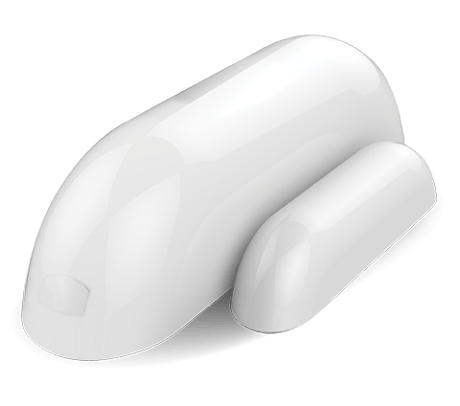
Product Picture


1 - OFF Delay
This configuration parameter can be used to adjust the amount of delay before the OFF com mand is transmitted. This parameter can be configured with the value of 0 through 65535, where 0 means send OFF command immediately and 65535 means 65535 seconds of delay.Size: 2 bytes
Default: 0
Minimum: 0
Maximum: 0
Possible values
| From | To | Desription |
|---|---|---|
| 0 | 65535 | Delay in seconds |
| 0 | 0 |
2 - BASIC_SET level
Basic Set Command will be sent where contains a value when the door/window is opened or closed, Z-Wave controller or Z-Wave gateway will take it for consideration; for instance, if a lamp module receives the Basic Set Command of which value is decisive asto howbright of dim levelof lamp moduleshall be.Size: 1 byte
Default: 255
Minimum: 0
Maximum: 0
Possible values
| From | To | Desription |
|---|---|---|
| 0 | 0 | OFF |
| 1 | 99 | Set absolute value |
| 255 | 255 | Return to previous non-zero value |
Add the Sensor (Door/Window detector) to Z-Wave Network 1.Remove the sensor cover. 2.Make sure the sensor is powered. 3.Set Z-Wave controller or Z-Wave gateway into inclusion mode (Refer to the controller or gateway operating manual) 4.Press the button three times within 1.5 second, the device will enter inclusion mode. And the LED will flash on and off alternately five times.
Delete the Sensor (Door/Window detector) from Z-Wave Network 1.Remove the device cover. 2.Make sure the sensor is powered. 3.Set Z-Wave controller or Z-Wave gateway into exclusion mode (Refer to the controller or gateway operating manual) 4.Press the button three times within 1.5 second, the device will enter exclusion mode.
You can press the button once to wake up the device and send wakeup notification to controller. If press successfully, the LED will blink one time.
Note: to use the reset procedure only when the primary controller is missing or inoperable. Restore the Sensor (Door/Window detector) to Factory Default Settings Reset procedure will delete all information on the Z-Wave network and Z-Wave controller or Z-Wave Gateway, and restore the sensor to factory default settings. 1.Remove the device cover. 2.Make sure the sensor is powered. 3.Press and hold the button for 10 seconds, 4.Release the button.
| Type | Value(s) |
|---|
| Group | Type |
|---|---|
| Access Control | (Refer to parameters): State idle |