Everspring
PANIC BUTTON
AC136-F
Notification Sensor
HW: 1 FW: 1.01:00.01
SD3502
6.71.01
0x0060 (96)
0x000A (10)
0x0002 (2)
ZC10-18015959
2018-01-11 22:02:59.20616
N/A
Enhanced 232 Slave
Reporting Sleeping Slave
Yes
The AC136 Panic Button is a Z-Wave Plus enabled device and is fully compatible with any Z-Wave enabled network. The device can be set up in a Z-wave network to communicate directly with other end devices such as lighting controllers, or to report directly a Z-wave controller.
The Panic Button is a portable wireless switch designed to control the Panic/Disarm status of other associated devices thru the Z-Wave controller. After receiving the signals emitted by the Panic Button, the Z-Wave controller can then give commands or operate according to its own settings. Its great compatibility with Z-Wave products makes it suitable for smart home cloud based platforms.
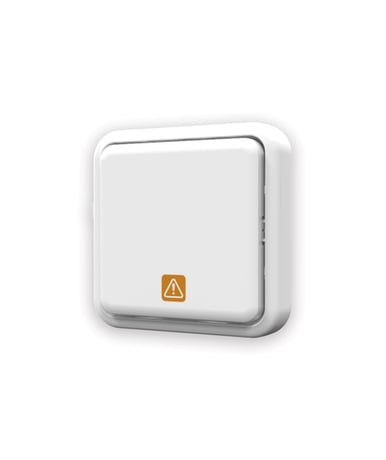
Product Picture
1. Put the Z-Wave Controller into inclusion mode. 2. Press the tamper switch 3 times within 1.5 seconds to put the unit into inclusion mode.
1. Put the Z-Wave Controller into exclusion mode. 2. Press the tamper switch 3 times within 1.5 seconds to put the unit into exclusion mode.
After it has been included into a Z-wave network, the detector will go to sleep but will send a Wakeup Notification Command periodically at preset period to the controller. The detector will stay awake for 10 seconds at least and then go back to sleep to conserve battery life. The time interval between Wakeup Notification Commands can be set in the Wakeup Command Class based on the range values below: Minimum Wake Up Interval 600s (10 minutes) Maximum Wake Up Interval 86400s (1 day) Default Wake Up Interval 14400s (4 hours) Wake Up Interval Step Seconds 600s (10 minutes)
Please use this procedure only when the network primary controller is missing or otherwise inoperable. 1. Press the tamper switch 3 times within 1.5 seconds to put the unit into exclusion mode. 2. Within 1 second of step 1, press the tamper switch again and hold for 5 seconds. 3. Node ID is excluded. The device reverts to factory default state.
| Type | Value(s) |
|---|
| Group | Type |
|---|---|
| Appliance | (Refer to parameters): State idle |