Zipato
PIR Sensor
ne-nas-pd01zt.eu
Notification Sensor
HW: 66 FW: 3.80
ZM5202
6.51.06
0x0131 (305)
0x0003 (3)
0x1089 (4233)
ZC10-18015916
2017-12-21 17:00:03.892694
N/A
Routing Slave
Reporting Sleeping Slave
Yes
Presence detector and illuminance meter in one device.
Presence detector and illuminance meter in one device. Zipato PIR motion sensor offers elaborate security and ambient sensing options.
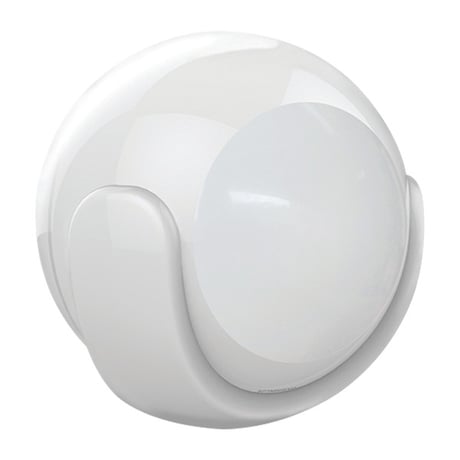
Product Picture


1 - Sensitivity Level Setting
This parameter defines the sensitivity of PIR sensor. It’s recommended to test the sensor with movements from the farthest end of the coverage area at the first time of use. If movements cannot be detected sensitively, simply adjust the sensitivity level with this parameter. This parameter can be configured with the value of 8 through 255, where 8 means high sensitivity and 255 means low sensitivity.Size: 1 byte
Default: 12
Minimum: 0
Maximum: 0
Possible values
| From | To | Desription |
|---|---|---|
| 8 | 255 | PIR sensitivity |
2 - ON/OFF Duration
This parameter determines how long the associated devices should have ON status. For instance, if this parameter is set to 30 (sec), the PIR sensor will send a BASIC_SET command to associated device with value BASIC_SET level if PIR sensor is triggered and associated device will be turned on 30 seconds begore it’s turned off. This parameter value must be large as Parameter #. If user sets this parameter to default by Configure CC, the parameter # will be set to default value.Size: 2 bytes
Default: 30
Minimum: 0
Maximum: 0
Possible values
| From | To | Desription |
|---|---|---|
| 5 | 600 | Seconds |
3 - BASIC SET LEVEL
BASIC_SET command will be sent when PIR sensor is triggered. The receiver will take it into consideration; for instance, if a lamp module is receiving the BASIC_SET command of which value is decisive as to how bright of dim level of lamp module shall be.Size: 1 byte
Default: 255
Minimum: 0
Maximum: 0
Possible values
| From | To | Desription |
|---|---|---|
| 0 | 99 | Dim level |
| 255 | 255 | Previous non zero dim level |
4 - PIR DETECTION FUNCTION ENABLED / DISABLED
This parameter can enable or disable the PIR sensor detecting function. Function: Enabled / Disabled PIR functionSize: 1 byte
Default: 255
Minimum: 0
Maximum: 0
Possible values
| From | To | Desription |
|---|---|---|
| 0 | 0 | DISABLE |
| 255 | 255 | ENABLE |
5 - AMBIENT ILLUMINATION LUX LEVEL
This parameter can set Lux value which determines when the light sensor is activated. If the ambient illumination level falls bellow this value and a person moves across or within the detection area, PIR sensor will send Z-Wave ON command (i.e. BASIC_set (value = parameter 3) to an associated device and activate it.Size: 2 bytes
Default: 100
Minimum: 0
Maximum: 0
Possible values
| From | To | Desription |
|---|---|---|
| 0 | 1000 | Lux |
6 - RE-TRIGGER INTERVAL SETTING
This parameter can be used to adjust the interval of being re-triggered after the PIR sensor has been triggered. This parameter value must be less than Paramater #2. If user sets this parameter to default by Configure CC, the parameter #2 will be set to default value.Size: 1 byte
Default: 8
Minimum: 0
Maximum: 0
Possible values
| From | To | Desription |
|---|---|---|
| 1 | 8 | Retrigger interval in seconds |
7 - LIGHT SENSOR POLLING INTERVAL
This parameter can set the light sensor to measure ambient illumination level interval time. NOTE: This value must be less than Wakeup Interval Time!Size: 2 bytes
Default: 180
Minimum: 0
Maximum: 0
Possible values
| From | To | Desription |
|---|---|---|
| 60 | 3600 | Seconds |
8 - 8
If this parameter is set to “1” and when Lux level is less than the value defined by parameter #5, PIR sensor will send a BASIC_SET command frame (i.e. BASIC_SET (value = parameter 3) to an associated device and activate it. If Lux level is greater than the value defined by parameter #5, PIR sensor will not send BASIC_SET command frame.Size: 1 byte
Default: 0
Minimum: 0
Maximum: 0
Possible values
| From | To | Desription |
|---|---|---|
| 0 | 0 | DISABLE |
| 1 | 1 | ENABLE |
9 - AMBIENT ILLUMINATION LUX LEVEL REPORT
This parameter defines by how much Lux level must change in Lux to be reported to the main controller.Size: 2 bytes
Default: 1
Minimum: 0
Maximum: 0
Possible values
| From | To | Desription |
|---|---|---|
| 0 | 1000 | lux |
1.Remove the sensor cover. 2.Make sure the sensor is powered. 3.Set Z‐Wave controller or Z‐Wave gateway into inclusion mode (Refer to the controller or gateway operating manual) 4.Press the button three times within 1.5 second, the device will enter inclusion mode. And the LED will flash on and off alternately five times.
1.Remove the device cover. 2.Make sure the sensor is powered. 3.Set Z‐Wave controller or Z‐Wave gateway into exclusion mode (Refer to the controller or gateway operating manual) 4.Press the button three times within 1.5 second, the device will enter exclusion mode.
You can press the button once to wake up the device and send wakeup notification to controller. If press successfully, the LED will blink one time
Reset procedure will delete all information on the Z‐Wave network and Z‐Wave controller or Z‐Wave Gateway, and restore the sensor to factory default settings. 1.Remove the device cover. 2.Make sure the sensor is powered. 3.Press and hold the button for 10 seconds, Led will blink once. 4.Release the button. Note: to use the reset procedure only when the primary controller is missing or inoperable.
| Type | Value(s) |
|---|
| Group | Type |
|---|---|
| Home Security | (Refer to parameters): State idle |
| Sensor type |
|---|
| Illuminance |