Somfy
Z-WAVE2RTS INTERFACE-AU 8 CHANNELS
1811723.0
Window Covering - No Position/Endpoint
HW: 3 FW: 16.09
ZM5202
6.51.09
0x0047 (71)
0x3001 (12289)
0x0B01 (2817)
ZC10-18026007
2018-02-13 06:13:30.984567
N/A
Enhanced 232 Slave
Always On Slave
Z2RTSANZ-5 provide the translation from Z-Wave to RTS solution.
It is a Z-Wave™ enabled device (interoperable, two-way RF mesh networking technology) and is fully compatible with any Z-Wave™ enabled network and it’s security framework. Every mains powered Z-Wave™ enabled device acts as a signal repeater and multiple devices result in more possible transmission routes which helps eliminate “RF dead-spots”. Z-Wave™ enabled device displaying the Z-Wave™ logo can also be used with it regardless of the manufacturer, and ours can also be used in other manufacturer’s Z-Wave™ enabled networks. Z-WAVE2RTS interface receives Z-Wave signals and translates them into RTS commands for Somfy’s RTS motor. The Z-Wave2RTS interface supports mulit-channel Command Class for up to 8 devices corresponding to 8 individual or groups of Somfy motorized products. The Z-Wave2RTS requires 12-24Vdc power supply by power adaptor or 5Vdc via micro-USB adaptor.
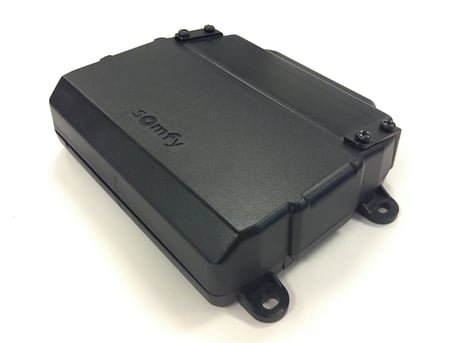
Product Picture
Inclusion: 1. Enable the Z-Wave HUB into the Inclusion mode. 2. Short press the Z-Wave PROG button for 3 times. ZWave2RTS interface will be included in the Z-Wave network automatically. 3. The Z-WAVE LED turns OFF indicating that the Z-Wave2RTS interface has successfully joined the Z-Wave network.
Exclusion: 1. Power ON the Z-Wave2RTS interface. 2. Enable the Z-Wave HUB into exclusion mode. 3. Short press the Z-Wave PROG button for 3 times. 4. The Z-WAVE LED flashes indicating that the Z-Wave2RTS interface has successfully been removed from the Z-Wave network.
Reset the Z-Wave module to factory mode: 1. Power OFF the Z-Wave2RTS interface. 2. Press and hold the Z-Wave PROG button. 3. Power ON the Z-Wave2RTS interface and wait for 10 seconds. 4. The Z-Wave LED flashes indicating that the data is cleared and it is open to join Z-Wave network. Remark: Please use this procedure only in the event that your network primary controller is missing or otherwise inoperable!!!
| Type | Value(s) |
|---|