Everspring
ON/OFF PLUG
AN186-F
On/Off Power Switch
HW: 1 FW: 1.01:00.01
SD3502
6.71.01
0x0060 (96)
0x0004 (4)
0x000C (12)
ZC10-18015960
2018-01-11 22:03:33.189192
N/A
Enhanced 232 Slave
Always On Slave
The AN186 On/Off Plug is a Z-Wave Plus enabled device and is fully compatible with any Z-Wave enabled network. The device can be set up in a Z-Wave network to communicate directly with other end devices such as PIR motion detector, or to report directly to a Z-Wave controller (usually a gateway).
This product supports the S2 security protocol that uses encrypted Z-Wave Plus messages to communicate to other security-enabled Z-Wave Plus products. A security-enabled Z-Wave Plus Controller must be used in order to fully utilize the security features of this product. This On/Off Plug module is designed to control the on/off status of lighting and appliances in the home. Remote On/Off control of the connected load is possible even when paired with other manufacturer’s Wireless Controller. Each module is also designed to act as a repeater to re-transmit RF signal to ensure that it is received by its intended destination by routing the signal around obstacles and radio dead spots.
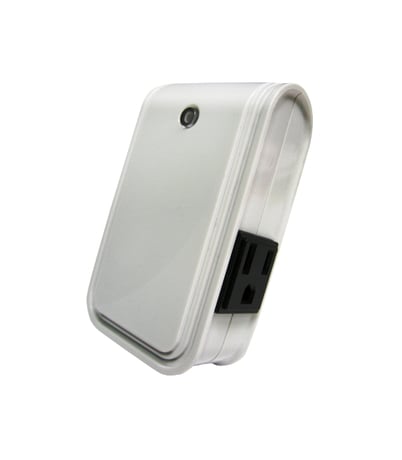
Product Picture


3 - Remember the last status
1: remember (0: do not remember)Size: 1 byte
Default: 1
Minimum: 0
Maximum: 0
Possible values
| From | To | Desription |
|---|---|---|
| 0 | 1 | 1: remember (0: do not remember) |
1. Put the Z-Wave Controller into Inclusion mode. 2. Press the On/Off knob 3 times within 1.5 seconds to put the unit into Inclusion mode.
1. Put the Z-Wave Controller into Exclusion mode. 2. Press the On/Off knob 3 times within 1.5 seconds to put the unit into Exclusion mode.
Please use this procedure only when the network primary controller is missing or otherwise inoperable. 1. Press the On/Off knob 3 times within 1.5 seconds to put the unit into exclusion mode. 2. Within 1 second of step 1, press and hold the knob for 5 seconds. 3. Node ID is deleted. The device reverts to factory default state.
| Type | Value(s) |
|---|
| Group | Type |
|---|---|
| Power Management | (Refer to parameters): State idle |